A Performance-Driven Guide to Amazon Image Guidelines
Compliance is the baseline for Amazon image guidelines. Here's how to go beyond requirements and create images that actually convert.

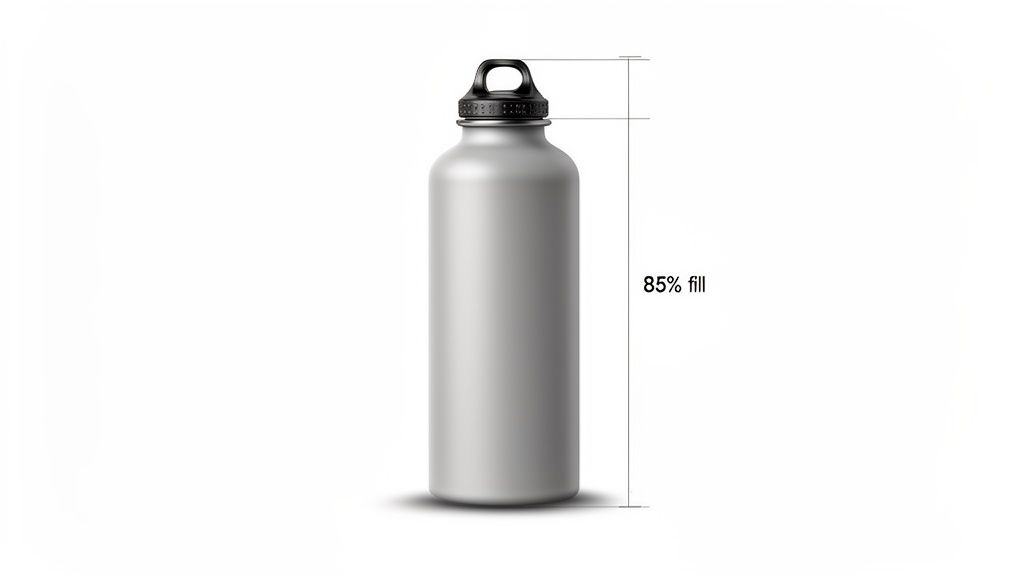
When uploading product photos to Amazon, the main image must follow non-negotiable rules. It requires a pure white background (RGB 255, 255, 255), must feature only the product for sale, and should fill at least 85% of the image frame. To enable the critical zoom feature, images must be at least 1,000 pixels on the longest side. Mastering these specifications isn't about compliance—it's about building the foundation for profitable growth.
Why Your Amazon Images Are a Core Performance Lever
Many brands treat Amazon’s image guidelines as a simple checkbox, a costly mistake that directly impacts revenue and market share. Your product images are a primary driver of growth. Each image slot is strategic real estate—a direct lever to improve ad click-through rates, elevate organic search rank, and ultimately, drive profitable sales.
Optimized images are the cornerstone of retail readiness. They act as your 24/7 salesperson, answering questions and building trust before a customer reads a single bullet point. This has a direct, measurable impact on performance metrics that matter to senior leaders.
- PPC Profitability: A powerful main image drives a higher click-through rate (CTR). This signals relevance to Amazon's algorithm, which can lower your cost-per-click (CPC) and improve your Advertising Cost of Sale (ACOS). Your ad spend becomes a more efficient engine for profitable growth, not just vanity traffic.
- Organic Ranking Flywheel: Amazon's A9 algorithm rewards products that convert. Since compelling images are proven to increase conversion rates, they feed the algorithm positive performance data. This creates a flywheel effect: higher conversions lead to a better sales history, which boosts organic rank and drives more sales.
- Conversion and Trust: A complete image stack—showcasing lifestyle use, infographics, and scale—preemptively answers customer questions. This removes friction from the buying process, reduces hesitation, and makes the decision to "Add to Cart" significantly easier.
This quick-reference table distills the most critical requirements and their direct impact on performance.
Amazon Image Guidelines Quick Reference Chart
This chart summarizes the essential technical and content requirements for your Amazon product images, showing you what matters most and why.
| Image Type | Key Requirement | Impact on Performance |
|---|---|---|
| Main Image | Pure white background (RGB 255, 255, 255). Product must fill at least 85% of the frame. No text or logos. | Crucial. Non-compliance leads to listing suppression. A strong main image drives CTR. |
| All Images | Minimum 1,000px on the longest side; 1,600px recommended for best zoom. | Enables the zoom feature, which is proven to increase conversion by building customer trust. |
| File Formats | JPEG is preferred. TIFF, PNG, or GIF are also accepted. | JPEG offers the best balance of quality and file size for fast loading. |
| Secondary Images | Can show lifestyle context, infographics, feature call-outs, scale charts, and different angles. | Answers customer questions, reduces returns, and demonstrates value, directly boosting CVR. |
Getting these details right isn't just about avoiding suppression; it’s about architecting your listing for peak performance.
The chart below illustrates the direct business impact of an optimized image strategy.
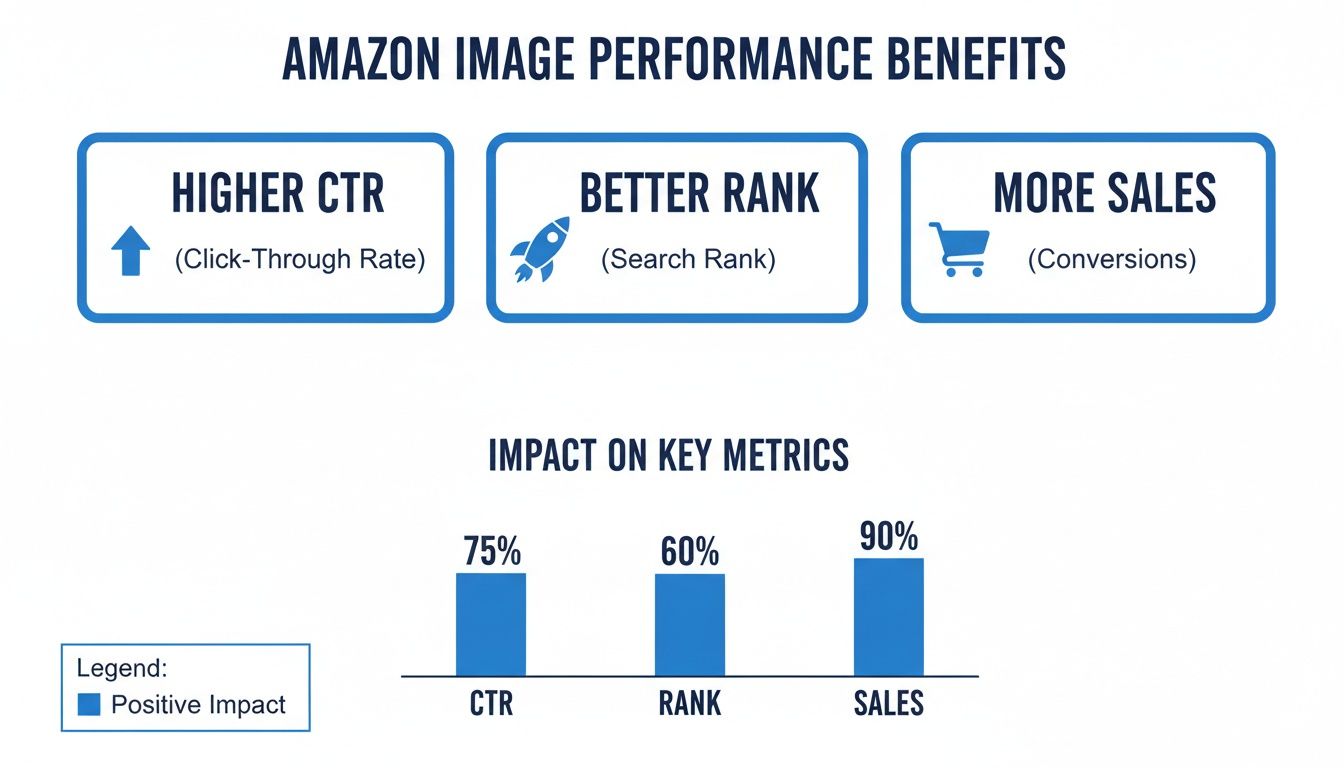
As you can see, investing in your image strategy isn't a creative expense. It's a direct investment in traffic acquisition, organic visibility, and sales velocity.
Getting the Technical Specs Right for Your Amazon Images
Let’s be clear: Amazon's technical image requirements are not arbitrary rules. They are the bedrock of a successful, "retail ready" product listing. Nailing these specs is non-negotiable for any brand serious about performance.
Amazon is obsessed with creating a uniform, high-trust shopping experience. These rules are designed to build customer confidence, which directly translates into higher conversion rates. View them not as hurdles, but as a clear blueprint for driving sales.
Dimensions and Resolution: It’s All About the Zoom
The single most important technical requirement is image size. Your images must be at least 1,000 pixels on the longest side. This is the minimum threshold to activate Amazon's zoom feature, a tool shoppers rely on to inspect product details, texture, and build quality. The ability to zoom is a powerful trust signal that demonstrably increases conversions.
While 1,000 pixels is the minimum, top-performing brands aim higher. Here's a practical framework for decision-making:
- The Minimum: 1,000 x 1,000 pixels enables zoom and ensures compliance.
- The Sweet Spot: 1,600 x 1,600 pixels provides superior clarity and a better customer experience.
- The Pro Standard: 2,000 x 2,000 pixels delivers exceptional detail that communicates premium quality and future-proofs your listing against evolving platform standards.
A large, crisp image signals confidence in your product quality, which can be the deciding factor for a hesitant buyer.
This is especially true in categories like apparel, where the ability to inspect fabric weave or stitching quality is critical. To gain a competitive edge, learning how to photograph clothes like a pro is a high-leverage investment.
File Formats and Sizing
While Amazon accepts multiple file formats, JPEG is the undisputed standard for product photography. It provides the optimal balance between high image quality and manageable file size, contributing to faster page load speeds.
- JPEG (.jpg): Your default choice for all product photography.
- PNG (.png): Reserve for instances requiring a transparent background, such as graphics in A+ Content.
- TIFF (.tif) and GIF (.gif): Accepted but rarely necessary. Animated GIFs are strictly prohibited.
Keep individual file sizes under 10 MB. While generous, best practice is to optimize images to be as small as possible without sacrificing quality. Page load speed is a known ranking factor in Amazon's A9 algorithm, making every kilobyte count.
Color Profile and Aspect Ratio
To ensure color accuracy across millions of devices, Amazon requires the sRGB color profile. It's the web standard and guarantees your product colors are represented consistently.
Amazon also strongly prefers a 1:1 square aspect ratio, especially for the main image. This format is optimized for the mobile experience, where the majority of shopping now occurs. While other aspect ratios can be used for secondary images, a consistent square format provides a clean, professional look on your product page and in search results.
Mastering the Main Image for Search and PPC
Your main image is the single most powerful visual asset on your Amazon listing. It's the first touchpoint in organic search and the primary driver of clicks for your Sponsored Products ads. Mastering this image isn’t just about compliance—it’s about pulling a fundamental lever for profitable growth.
Think of it as the storefront window. A clean, compelling display grabs attention, builds immediate trust, and earns that all-important first click. A cluttered or confusing one is ignored.
The Non-Negotiable Rules (And Why They Matter)
Amazon enforces strict main image rules to maintain a consistent, professional user experience. Violations result in listing suppression, rendering your product invisible in search and turning your PPC spend into wasted budget.
Here are the core requirements and their direct performance implications:
- Pure White Background: The background must be RGB (255, 255, 255). No exceptions. This creates a distraction-free environment where your product is the hero, allowing it to compete on its merits in both organic search and paid ads.
- Product Fills 85% of the Frame: Maximizing the product's size within the frame is critical for visibility, especially on mobile devices. A larger, clearer product image almost always correlates with a higher click-through rate (CTR).
- Absolutely No Extras: The main image can only show the product being sold. No text, logos, watermarks, props, or graphics are allowed. This rule eliminates ambiguity and ensures the customer knows exactly what they are buying.
How a Perfect Main Image Fuels PPC Profitability
A high-performing main image is direct fuel for a more profitable PPC program. A better image improves your CTR, and CTR is a primary signal to Amazon's advertising algorithm.
When your ad earns a higher CTR than competitors, Amazon deems it more relevant. The algorithm rewards this relevance with better ad placements and, often, a lower cost-per-click (CPC).
A higher CTR doesn't just bring more traffic; it makes that traffic cheaper. By perfecting your main image, you directly improve your ad's relevance, which can significantly lower your Advertising Cost of Sale (ACOS). This transforms your ad spend from an expense into a powerful, self-funding growth engine.
A case in point: a brand selling kitchen gadgets saw a 15% lift in CTR simply by reshooting their main image for better lighting and a more compelling angle. That increase directly lowered their ACOS, freeing up the budget to target more strategic keywords and creating a flywheel of profitable growth. Perfecting the main image isn't just a creative task—it's a critical financial decision. To go deeper, explore our complete guide on product photography for Amazon.
Using Secondary Images to Drive Conversions
If the main image earns the click, the secondary images close the sale. Here, you move beyond strict rules and into strategic storytelling. You have six additional slots, each an opportunity to preemptively answer customer questions, build brand trust, and create a visual sales pitch that directly increases your conversion rate (CVR).
A well-architected image stack acts as your most effective salesperson, demonstrating value long before a customer reads your bullet points. The objective is to visually overcome every potential purchase objection. Executed correctly, this not only boosts sales but also reduces return rates by setting clear, accurate expectations.
A Strategic Framework for Your Image Stack
Randomly uploading photos is a recipe for mediocrity. A strategic approach is required. Treat your secondary images as a guided tour designed to move a shopper from curiosity to conviction. Every image must have a specific job.
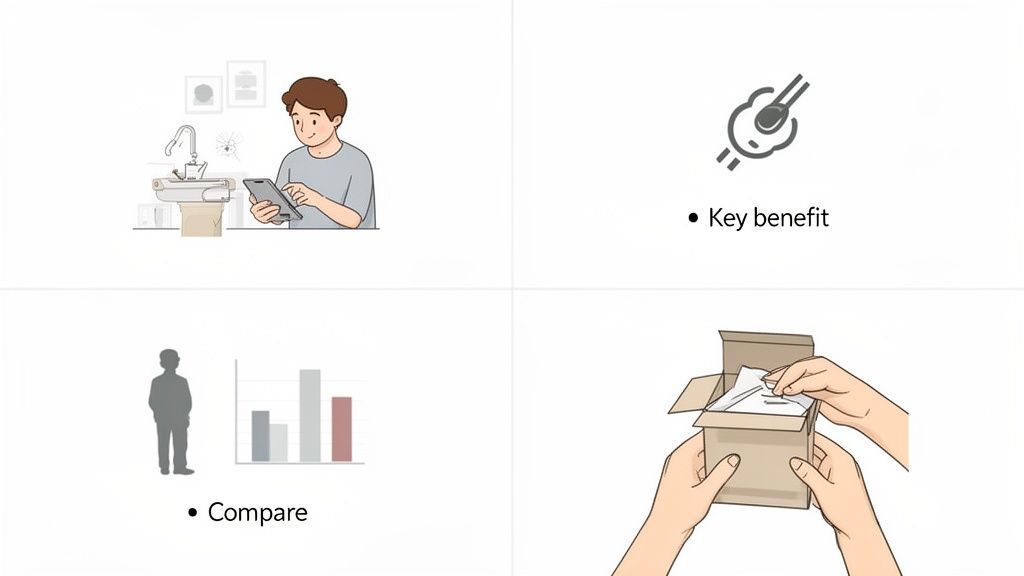
Structure your image gallery as a visual sales argument. This proven framework delivers results:
- Lifestyle Images: Show the product in its intended environment, used by your target customer. This helps shoppers visualize the product in their lives. Selling a premium coffee maker? Depict it on a clean kitchen counter as part of an aspirational morning ritual.
- Infographics and Feature Call-outs: Use text overlays and graphics to highlight key features and specifications. These are highly effective at translating technical details—like dimensions, materials, or unique functions—into easily digestible benefits.
- Comparison Charts: Position your product against competitors or other models in your own line. A clear chart instantly communicates your unique value proposition, justifies a premium price, and prevents the customer from navigating away to conduct their own research.
- Instructional or Unboxing Shots: Demystify the user experience. Show exactly what’s included in the box or provide a simple visual setup guide. This builds confidence and overcomes the fear of complexity.
Connecting Images to Business Outcomes
Every image is a performance asset. An infographic with precise dimensions can prevent a return from a customer who would have otherwise guessed wrong. A lifestyle shot showing a family enjoying your board game creates an emotional connection a simple product shot cannot.
Your secondary images are visual answers to unasked questions. A strategic image stack increases time-on-page, educates consumers, and removes purchase friction—all positive signals to the A9 algorithm. This isn't about aesthetics; it's about performance.
By strategically utilizing every available image slot, you control the narrative and build an irrefutable case for your product. You're not just adhering to image guidelines amazon requires; you're leveraging them as a powerful tool to increase CVR, reduce returns, and scale your business. This is how you transform a standard product detail page into a high-performance conversion asset.
Avoiding Common Violations That Suppress Listings
A suppressed Amazon listing is a silent killer of sales velocity. One moment, your product is live, driving revenue and benefiting from ad spend. The next, it's invisible to shoppers—effectively removed from the digital shelf. This isn't a minor inconvenience; it's a direct hit to revenue that halts sales momentum and torches your advertising budget.
Understanding the most common image violations is the best defense. Amazon's rules exist to maintain a consistent, trustworthy shopping experience. Violating them doesn't just risk a warning; it risks being de-indexed from search.
The Main Image Minefield
The main image is the most common point of failure. Because of its prominence in search results and ads, Amazon's rules are exceptionally strict. Any violation can trigger an immediate suppression.
Audit your main images for these frequent errors:
- Non-White Background: The background must be pure white—RGB (255, 255, 255). Even slightly off-white, light gray, or studio backgrounds with subtle shadows will be flagged by Amazon's bots.
- Promotional Text or Badges: Text overlays like "Sale," "Made in USA," or "New" are strictly forbidden on the main image. This content belongs in secondary images or A+ Content.
- Logos and Watermarks: Your brand logo or any other watermark is prohibited. The main image must be a sterile, professional photograph of the product alone.
- Multiple Views or Products: The main image must show a single view of the one item for sale. Attempting to display multiple angles, colors, or bundled items in this first slot is a guaranteed way to get suppressed.
Secondary Image and Content Policy Traps
While secondary images offer more creative freedom, they are not a free-for-all. Certain content violations can still lead to listing issues.
Common policy mistakes include making unsubstantiated claims (e.g., "cures baldness") or including time-sensitive information like warranty details within an image. This information belongs in the text-based sections of the listing. Furthermore, ensuring legal compliance is essential; a basic understanding of preventing copyright violations is non-negotiable.
The Proactive Takeaway
Integrate image compliance into your standard operating procedures for retail readiness. A suppressed listing means your PPC campaigns are driving traffic to a dead end, destroying your ACoS and wasting capital.
Establish a regular cadence for auditing your catalog, prioritizing top-selling ASINs, to ensure 100% compliance. This isn't about appeasing Amazon—it's about protecting revenue streams, preserving search rank, and ensuring every dollar of ad spend has a chance to deliver a return.
Optimizing Images for A+ Content and Brand Story
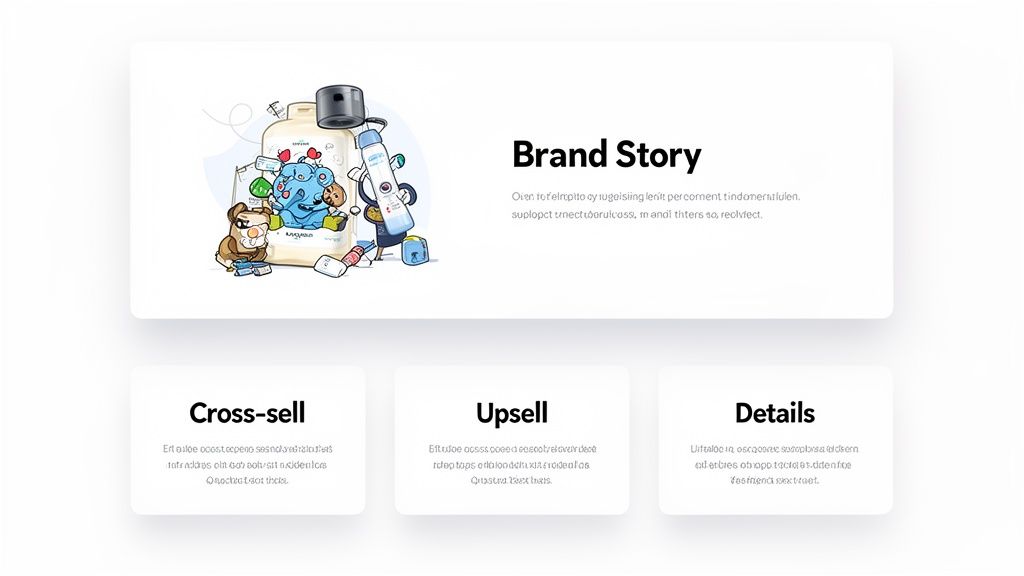
For brand-registered sellers, A+ Content and the Brand Story section are where you transition from showing a product to selling a brand vision. Image guidelines here are more flexible, providing a creative canvas to build brand equity, tell a compelling story, and drive incremental sales.
This is your opportunity to move beyond basic features and communicate your brand's unique value proposition, cross-promote your product catalog, and create an immersive experience that deepens customer engagement. Data shows that well-executed A+ Content can increase sales by an average of 5-10% by providing the additional confidence needed for a purchase decision.
Strategic Use of A+ Content Modules
A+ Content is not a single image but a series of modules, each with distinct image specifications and a strategic purpose. Mastering these is key to building a high-converting page. While height can vary, most modules have strict pixel width requirements to ensure optimal rendering across all devices.
Here are key modules and their strategic application:
- Full-Width Image Banners: Typically requiring images of 970px width, these are ideal for impactful hero shots that establish brand aesthetic or showcase an aspirational lifestyle.
- Comparison Charts: These are powerful conversion tools. Use crisp product images to visually guide customers to the best choice within your product line, effectively upselling or cross-selling directly on the PDP.
- Multiple Image Modules: Modules that group several smaller images (e.g., four images at 220px wide each) are excellent for visually deconstructing key features or illustrating a multi-step process.
To understand how these visuals fit into your broader brand strategy on the platform, review our complete analysis of Amazon brand guidelines.
A+ Content is where you prove your brand's promise. It’s not about adding more photos; it’s about constructing a visual narrative that convinces shoppers your product is the superior choice. Each module should logically flow into the next, guiding the customer down a benefit-focused path to purchase.
Tying Visuals to Performance
Ultimately, your A+ Content and Brand Story images are performance assets. Their goal is to answer questions and overcome objections visually, which directly impacts your bottom line. A thoughtfully designed A+ layout can lower return rates by setting accurate expectations. It can also increase session duration, sending a strong positive signal to the A9 algorithm that your listing provides significant value.
Treat every A+ image as a tool—a tool to justify a premium price point, to highlight a key differentiator, or to build the brand trust required to close the sale.
How to Test and Optimize Your Images for Peak Performance
Treating your product images as a "set it and forget it" asset is a costly strategic error. Top-performing brands on Amazon operate in a continuous optimization loop, relentlessly testing visuals to maximize performance. This data-driven approach replaces subjective opinion with empirical evidence, transforming images into a powerful growth lever.
Adhering to Amazon's image guidelines is merely the baseline. The objective is to identify the creative that yields the highest click-through and conversion rates, creating a positive feedback loop that benefits both your PPC campaigns and your organic rank.
Use Amazon's Manage Your Experiments Tool
Amazon provides a powerful, free tool for this purpose: Manage Your Experiments. This feature allows eligible brands to A/B test their main product images—the single most critical visual for capturing shopper attention in search results.
Instead of debating creative choices internally, you can run a live test. Pit your current main image against a new variation—perhaps one with a different angle, enhanced lighting, or a close-up on a key feature. Amazon automatically splits the traffic, serves each version to different shoppers, and declares a winner based on statistically significant performance data.
We’ve seen this deliver significant results. Brands regularly report a 10-15% lift in session-to-purchase conversion rate simply by identifying a main image that resonates more effectively with their target audience. This is a direct, measurable impact on your bottom line.
To maximize the value of this tool, it is beneficial to understand the fundamentals of how to conduct A/B testing and apply those principles within Amazon's ecosystem.
Dig Into Your PPC Campaign Data
Your advertising campaigns are a rich source of data on visual performance. Look beyond high-level metrics like ACOS and ROAS. Analyze how different images impact your click-through rates (CTR) in Sponsored Brands and Sponsored Display campaigns, where you have more creative control.
- Sponsored Brands: Test different hero images in your ad creative. Does a clean product shot outperform a lifestyle photo showing the product in use? The data will reveal what captures your audience's attention.
- Sponsored Display: In retargeting campaigns, test various custom creatives. A simple product image may suffice for some audiences, while a banner highlighting a specific benefit could be more effective for others.
The insights gleaned from your paid advertising should directly inform your organic visual strategy, from your main image gallery to your A+ Content.
The Headline Takeaway Image optimization is not a one-time project; it is an ongoing process. Your creative assets must be managed like any other performance marketing channel—with constant testing, analysis, and iteration. By systematically leveraging tools like Manage Your Experiments and analyzing PPC data, you create a powerful feedback loop where better images drive better ad performance, which in turn fuels organic growth and enables sustainable scale.
Frequently Asked Questions About Amazon Image Guidelines
Even with a clear understanding of the rules, specific questions arise during listing preparation. Here are answers to some of the most common inquiries from eCommerce leaders.
How Can I Quickly Check If My Images Are Compliant?
The most efficient way to identify existing compliance issues is within Seller Central. Navigate to the "Manage Inventory" page and access the "Listing Quality Dashboard." You can then filter for listings with active "Image quality alerts."
Amazon's automated system is effective at flagging common violations, such as a non-white main image background or insufficient pixel dimensions. This should be your first step in any compliance audit.
For a proactive pre-upload check, use this simple checklist:
- Main Image: Is the background pure white (RGB 255, 255, 255)? Does the product occupy at least 85% of the frame? Are there zero logos, text, or watermarks?
- All Images: Is the longest side a minimum of 1,000 pixels to enable zoom?
- File Format: Is the file a JPEG, PNG, TIFF, or GIF?
Are Image Requirements Different For Sellers And Vendors?
For the primary product image gallery, the core requirements are identical for both Sellers (3P) and Vendors (1P). The rules regarding white backgrounds, pixel dimensions, and prohibited content apply universally to ensure a consistent customer experience.
The primary divergence occurs in enhanced content. Vendors often have access to a broader suite of A+ Premium Content modules. These advanced modules come with their own unique image specifications and creative guidelines that may not be available to all third-party sellers.
How Important Is Mobile Optimization For Images?
It is paramount. Mobile optimization is no longer a best practice; it is a prerequisite for success on Amazon. With over 60% of traffic originating from mobile devices, your images must be compelling on a small screen, or you are ceding sales to competitors.
This is precisely why Amazon mandates the 1:1 square aspect ratio and the 85% product-to-frame ratio. These specifications ensure your main image is large, clear, and impactful in the crowded mobile search results, which is a critical factor in earning the initial click.
At Headline Marketing Agency, we believe compliance is just the baseline. We transform image guidelines into a competitive advantage by using a data-first approach to optimize every visual asset. Our focus is ensuring your images not only meet Amazon's standards but actively drive clicks, increase conversions, and improve PPC profitability. Find out how we do it at https://headlinema.com.
Get Your Free Amazon PPC Audit
Discover untapped growth opportunities and see how our data-driven approach can improve your ROAS.
Get Free Audit →Wollen Sie Ihre Amazon PPC-Performance aufs nächste Level bringen?
Lassen Sie Ihre Amazon PPC-Kampagnen professionell analysieren und entdecken Sie neue Wachstumsmöglichkeiten.