Your Amazon Product Photography is a Performance Lever, Not a Creative Expense
We've optimized thousands of Amazon product pages. Here's the Amazon product photography approach that consistently lifts conversions.


Let's get straight to the point: 'Good enough' product photography is a silent killer for Amazon brands. This isn't about aesthetics; it's a performance marketing issue. Subpar images tank your click-through rates (CTR), poison your conversion rates (CVR), and cripple the efficiency of your PPC ad spend.
Conversely, strategic, data-informed visuals build immediate trust and answer customer questions before they're asked. They are a primary driver for scaling your brand profitably on Amazon, directly fueling both paid and organic growth.
Why Your Product Images Are Secretly Hurting Your Performance Metrics
Too many brands treat product photography as a pre-launch checkbox. This is a critical error in judgment. On Amazon, your images are your digital salesperson, your virtual shelf, and a powerful lever for influencing the A9 algorithm.
The hard truth is that low-quality, uninspired, or non-compliant photos actively work against your key performance indicators every minute of every day.

The True Cost of "Good Enough" Photos
Mediocre images introduce friction into your sales funnel. A blurry main image? No one is clicking that in the search results. This low CTR tells Amazon's A9 algorithm your listing is less relevant than your competitor's. A US-based study by Salsify found that 75% of online shoppers say product images are "very" or "extremely" influential in their decision to buy.
Once a shopper does land on your page, a lack of informative lifestyle shots or benefit-driven infographics creates uncertainty. That hesitation leads to a bounce, killing your CVR.
This poor performance creates a negative feedback loop:
- Sinking Organic Rank: Low CTR and CVR are primary negative signals for Amazon. They indicate your product isn't satisfying customer intent, causing your organic ranking to degrade over time.
- Wasted Ad Spend: Driving PPC traffic to a listing with weak creative is like pouring water into a leaky bucket. You pay for clicks that have a low probability of converting, which inflates your Advertising Cost of Sale (ACoS) and tanks your profitability.
- Sky-High Return Rates: When images fail to accurately represent the product's scale, features, or use cases, you are engineering customer disappointment. This translates directly to negative reviews and a spike in costly returns.
The Power of Being Visually Retail Ready
Imagine two competing listings for a water bottle. Listing A has one poorly lit photo on a dingy grey background.
Listing B features a crystal-clear hero image, a 360-degree view, an infographic detailing its leak-proof technology, a lifestyle shot of a hiker using it, and a scale shot showing its dimensions relative to a backpack.
Which one provides the confidence to purchase? Which one answers objections before they are even formed? Listing B is visually retail ready. It provides the necessary visual proof to drive an immediate "Add to Cart" decision. This is the essence of driving sales velocity—the single most important factor in Amazon's ranking algorithm.
Takeaway: Stop viewing product photography as a marketing expense. It is a performance asset that directly impacts traffic, conversions, and profitability. Investing in a smart, high-quality image strategy is one of the highest ROI decisions you can make on the platform. Your goal is to transform your product photos from a passive placeholder into an active growth engine.
Decoding Amazon's Image Rules for a Competitive Edge
Amazon's technical image requirements can seem arbitrary, but every rule exists to standardize the customer experience and improve conversion. Approaching these guidelines as performance levers—rather than creative constraints—is the first step toward building a listing that dominates your category.
Adherence isn't just about avoiding a listing suppression; it's the foundation of a high-converting product detail page. The most critical rules apply to your main "hero" image, which is your first and only chance to earn the click in a crowded search result.

Why the Main Image Rules Are Non-Negotiable
Amazon's main image guidelines are strict for a reason. Mandates like having the product fill 85% of the frame against a pure white background aren't suggestions. Violate them, and you risk suppression. Nail them, and you create a clear, trustworthy impression for a massive audience of over 220 million Prime members.
The pure white background—specifically RGB (255, 255, 255)—is the great equalizer. It removes distractions and places your product on a clean, professional stage, fostering trust. The 85% rule ensures your product is clearly identifiable, even as a small thumbnail on a mobile device, which is critical for maximizing CTR.
For a comprehensive breakdown of these rules, especially for complex categories, this guide will help you Master Amazon Product Image Requirements.
Takeaway: Your main image has one job: stop the scroll and earn the click. Compliance isn't about avoiding punishment; it's about maximizing visibility and CTR in the world's most competitive retail environment.
The Zoom Feature: Your Secret Conversion Tool
Here’s a technical requirement that is actually a powerful sales tool: image resolution. Amazon requires images to be at least 1,000 pixels on their longest side specifically to enable the zoom feature. Many sellers overlook its impact on conversions.
When a customer can zoom in to inspect the texture of a fabric, the quality of stitching, or the finish on a metal component, it builds immense confidence. It's the digital equivalent of a physical product inspection. This simple function resolves purchase hesitation and can measurably reduce return rates by setting accurate customer expectations.
High-resolution images are non-negotiable for serious brands. Grainy, low-res photos signal a low-quality product and hide the very details that justify your price point.
Main vs. Secondary Images: A Strategic Difference
While the main image is bound by strict rules, your secondary images are where you execute your brand and product storytelling. Here, you can leverage text overlays, graphics, and real-world environments to answer customer questions preemptively and demonstrate your product's value proposition.
Understanding the strategic difference between image types is crucial for building a complete visual narrative.
Amazon Image Requirements Cheat Sheet
This table provides a clear, side-by-side comparison for strategic planning.
| Requirement | Main Image (Hero) | Secondary Images (Slots 2-7+) |
|---|---|---|
| Background | Must be pure white (RGB 255, 255, 255). | Can use lifestyle or colored backgrounds. |
| Product Display | Must show only the product for sale; no props. | Can show the product in use, with props, or in context. |
| Text & Graphics | Strictly forbidden. No logos, badges, or text. | Allowed and encouraged. Use for infographics and callouts. |
| Primary Goal | Earn the click from search results (CTR). | Educate, build trust, and drive the sale (CVR). |
Think of your hero image as the hook that drives traffic, and your secondary images as the story that drives conversions. Mastering Amazon's rules isn't about compliance; it's about leveraging the platform's framework to your advantage and turning your product photography into a conversion machine.
How to Build a High-Converting Shot List
Let's move from technical requirements to performance strategy. A high-converting Amazon listing is not a random collection of photos; it's a deliberate visual narrative designed to anticipate and answer every potential customer question. A detailed shot list is the single most important strategic document for turning your product photography into a sales driver.
Each of your seven image slots has a specific job. Your shot list is the blueprint that guides a shopper from initial interest to a confident purchase.
The Undeniable Power of Visual Storytelling
Great product photography is a proven performance driver. Some studies show it can boost conversion rates by up to 30%. In a marketplace where over 40% of all e-commerce sales occur, professional visuals are the cost of entry. Humans process visuals 60,000 times faster than text, making your main image the most potent sales pitch you have. For more data on this, see these insights on success on Amazon.
Let's break down the essential shots every high-performance listing needs.
Mastering the Hero Image
Your hero image is your digital handshake. It must be perfect. This image adheres to all of Amazon's strictest rules: a crystal-clear shot of your product, isolated on a pure white background. Its sole job is to disrupt a customer's scroll on a cluttered search results page and compel a click.
Focus on the details: the most flattering angle, even and soft lighting with no harsh shadows, and accurate color representation. This image is all about maximizing your CTR.
Showcasing Every Angle and Detail
The customer clicked. Now, they want the digital equivalent of picking the product up. Your subsequent images must facilitate this inspection. Your shot list should include at least three to four additional "packshots" from different angles.
- Front, Back, and Sides: Provide a complete 360-degree understanding of the product's form factor.
- Close-Ups or Macro Shots: Zoom in on unique selling propositions—the quality of the material, the precision of a logo, or the detail on a critical component.
- The Packaging: A clean shot of the product packaging builds brand credibility and signals to gift-buyers that the product will arrive safely and professionally.
Establishing Scale and Context
"Item not as described" is a leading cause of returns. A dedicated scale shot is non-negotiable for preempting this issue. It must answer the simple but critical question: "How big is this, really?"
Effective methods include:
- Use a Common Object: Juxtapose your product with a universally recognized item like a smartphone, a coffee mug, or a person's hand.
- Add a Dimensions Overlay: Create a clean graphic overlaying the product's exact height, width, and depth.
- Show it in Use: A lifestyle photo naturally demonstrates scale by placing the product in its intended environment.
A firm grasp of photographic principles like depth of field mastery is invaluable here, allowing you to keep the product sharp while tastefully blurring the background for a professional look.
Crafting Benefit-Driven Infographics
Infographics translate features into tangible customer benefits. This is not a list of technical specs. A powerful infographic explains why a feature matters.
For example, don't just state "5000mAh Battery." Show a battery icon next to the text, "All-Day Power: Binge-watch for up to 18 hours on a single charge." This framing connects the feature to a real-world use case. Plan for at least two infographics that highlight your top selling points and proactively address common concerns.
Forging an Emotional Connection with Lifestyle Photos
Lifestyle photos sell the outcome, not the object. These images show your product in a real-world context, used by a person your target customer identifies with. This helps shoppers visualize themselves benefiting from your product, creating a powerful emotional driver for purchase.
Takeaway: A great lifestyle photo doesn't just show what the product does; it shows what life is like with the product. It should evoke a specific feeling—convenience, happiness, relief, luxury—that aligns with your brand and the problem your product solves. A shot list is your strategic plan to ensure every image has a job, working together to inform, persuade, and convert.
A Modern Workflow for Shooting and Editing Your Photos
You don't need a Hollywood budget to create product photography that drives sales on Amazon. The key is a smart, repeatable workflow. Whether you're managing an in-house studio or directing a third-party professional, the principles are the same: capture with flexibility, manage assets systematically, and edit with conversions in mind.
A standardized process creates brand consistency across your catalog—a key trust signal for shoppers—and accelerates your speed to market.
The Foundation: Shooting for Flexibility
Post-production becomes exponentially easier when you capture the best possible image in-camera. This comes down to two critical decisions.
First, always shoot in RAW format. A JPEG is a compressed, "finished" file where the camera has already discarded significant amounts of data. A RAW file is a digital negative, containing all the data from the camera's sensor. This provides maximum flexibility for adjusting exposure, white balance, and color in post-production without degrading image quality.
Second, control your lighting. The goal is not dramatic, artistic lighting. A simple lightbox or a two-light kit with softboxes is sufficient to create soft, even light that minimizes harsh shadows. The key is consistency; your lighting setup should be identical for every product to create a cohesive brand storefront.
One of the most common mistakes is trying to "fix" bad lighting in Photoshop. Post-production is for enhancement, not rescue. Get the shot 90% right in-camera to save countless hours of editing and achieve a more professional result.
Post-Production: The Path to a Perfect Listing Image
With your RAW files captured, the editing process begins. The objective is to produce images that are compliant with Amazon's technical specifications and persuasive to your target customer.
A performance-focused workflow looks like this:
- Select and Name Your Files: Cull your shots, selecting only the sharpest, best-lit images. Immediately implement a logical file naming convention, such as
Brand-ProductName-Angle-01.jpg. This is critical for asset management and offers a minor SEO benefit. - Process the RAW Image: In a program like Adobe Lightroom or Capture One, make global adjustments. Correct white balance for color accuracy, fine-tune exposure, and apply sharpening to enhance detail.
- Retouch and Remove the Background: Move the image to a tool like Adobe Photoshop for detailed work. This is where you'll isolate the product and place it on a pure RGB (255, 255, 255) white background. Use the Pen Tool for a precise, clean cutout; automated tools often leave unprofessional, fuzzy edges that signal amateurism.
- Optimize and Export: Export the final image as a high-quality JPEG. It must be at least 1000px on its longest side to enable Amazon's zoom feature. Compress the file to ensure fast load times, particularly for mobile users, without a visible loss in quality.
This flow chart visualizes the strategic progression from the hero image to the lifestyle shots that complete your product's story.
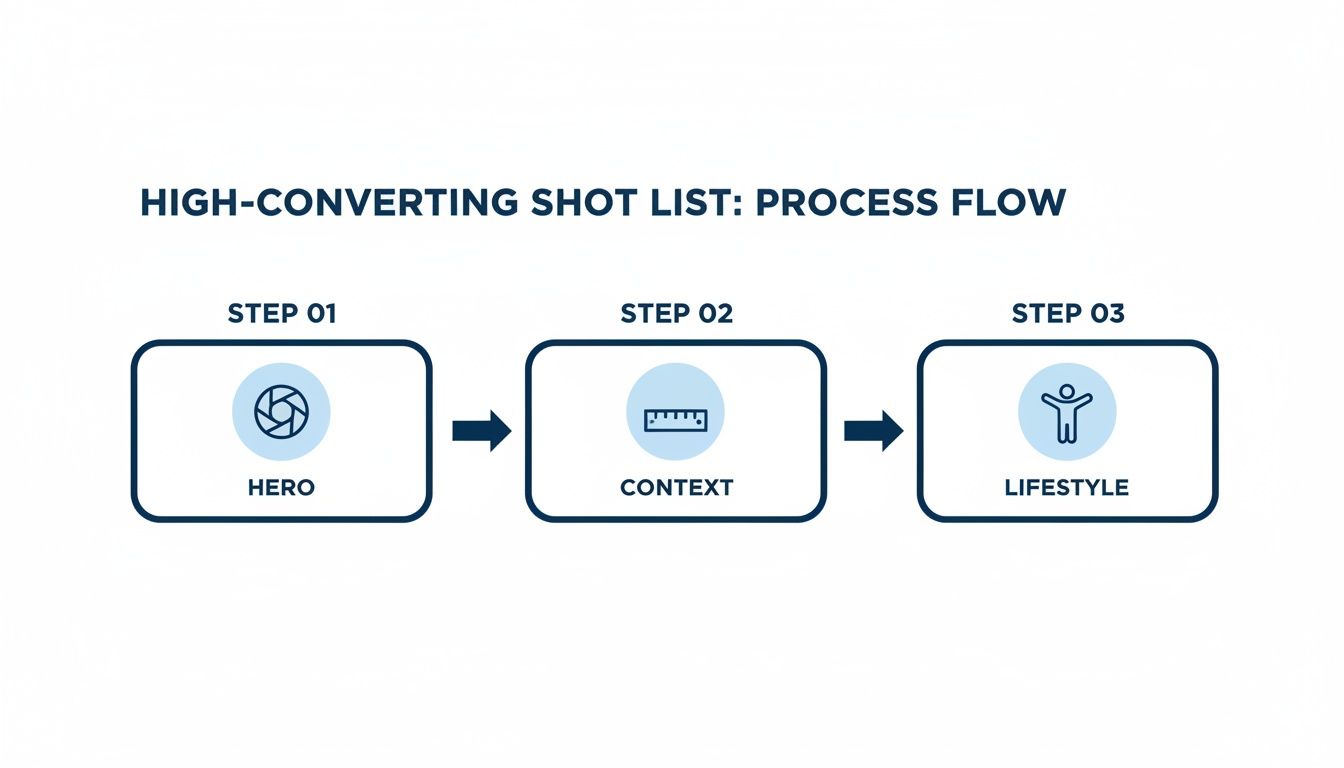
This systematic approach ensures every image in your carousel serves a distinct purpose. While static images are the foundation, remember to incorporate video. Learn more in our guide on how to use Amazon product videos to drive performance and scale.
Connecting Your Images to PPC and SEO Performance
Your product photography is not a static asset; it is a dynamic tool that directly fuels your advertising campaigns and organic search performance. This is where creative investment translates into measurable ROI.
A high-performance image set is the foundation of a profitable PPC strategy. Your main image is the primary creative for Sponsored Products ads. A crisp, compelling hero shot drives a higher click-through rate (CTR). This higher CTR signals relevance to Amazon, which can lead to lower cost-per-click (CPC) and better ad placement.
A-B Testing Your Way to a Higher CTR
Never assume which main image will perform best. Use Amazon's Manage Your Experiments tool to remove guesswork and let customer data guide your creative decisions.
Run split tests comparing your current main image against a new variant. I have seen brands achieve significant lifts by testing simple changes like:
- A slightly different product angle that better highlights a key feature.
- The same shot but with a subtle, realistic drop shadow to add depth.
- A "packshot" that includes the product's retail packaging.
Amazon serves each version to shoppers for a set period and declares a winner based on real-world performance data. Finding an image that delivers even a 5% lift in CTR can have a dramatic, compounding effect on your sales and ad efficiency.
Turn Your Images into High-Impact Ad Creative
Your lifestyle shots and infographics are a goldmine for Sponsored Brands and Sponsored Display ad campaigns. These ad types allow for more creative storytelling than standard product ads.
A lifestyle photo showing a customer enjoying your product is perfect for a Sponsored Brands banner, creating an immediate emotional connection. An infographic highlighting your top three benefits can be repurposed as a high-impact Sponsored Display ad, communicating value instantly.
Takeaway: Reusing your best visual assets across your ad campaigns creates a cohesive and trustworthy brand narrative. This consistency builds trust, captures attention, and almost always leads to a lower Advertising Cost of Sale (ACoS) and higher return on ad spend (ROAS).
How Better Images Fuel Your Organic Rank
This is the critical connection many sellers miss: superior images directly impact your organic search ranking. Amazon's A9 algorithm is fundamentally driven by sales velocity. Products that sell more, rank higher.
When your high-quality images drive a higher CTR from search and a better conversion rate on your product detail page, your sales increase. This spike in sales velocity signals to the algorithm that your product is satisfying customer demand.
Amazon rewards this performance by improving your organic ranking. This initiates a powerful flywheel effect: better images lead to more sales, which boosts your rank, which exposes your product to more shoppers, driving even more sales. This is a core principle when you optimize Amazon product listings for sustainable growth. Your photography is one of the best investments you can make in your product's long-term success.
Thinking Ahead: What's Next for Amazon Visuals?
To maintain a competitive edge on Amazon, you must look beyond current best practices and anticipate future trends in visual commerce. The brands that experiment with new technologies now will dominate their categories tomorrow.
The evolution is already underway. AI-powered editing, 3D models, and augmented reality (AR) are shifting from novelties to essential tools for Amazon product photography. This is not a niche trend; the market for e-commerce photography services is projected to grow from $0.85 billion to $2.38 billion by 2034. You can explore more of the data behind this growing market on proficientmarketinsights.com.
Putting AI and Automation to Work for You
The most immediate opportunity is in AI-powered editing. Tedious tasks like background removal, shadow creation, and color correction can now be automated with incredible accuracy. This doesn't replace photographers; it liberates them to focus on high-value creative direction while software handles repetitive, technical tasks.
One e-commerce retailer I know leveraged these tools to cut post-production costs by 90% and reduce their image turnaround time from weeks to just 3-4 days. This agility allows brands to react to market trends and get products live faster than the competition.
Takeaway: AI isn't just a cost-saving measure. It's about achieving speed and consistency at scale. It ensures every image meets Amazon's technical requirements without endless revisions, creating a scalable system for growth.
Why 3D Renders and Interactive Images are Gaining Ground
For complex or customizable products, traditional photography can be inefficient. This is where 3D rendering offers a strategic advantage. Instead of conducting expensive photoshoots for every color or material variation, a single, perfect 3D model can be created. From this asset, flawless and consistent images can be generated for every possible configuration.
This technology is more accessible than ever and is ideal for:
- Complex Products: Showcase internal components or intricate details that a camera cannot capture clearly.
- Customization: Display every color, finish, and style option without needing a massive photo library.
- Consistency: Maintain identical angles and lighting across your entire catalog for a highly professional brand presentation.
Beyond static images, 360-degree spins and Augmented Reality (AR) experiences are closing the gap between online and in-store shopping. When a customer can virtually "place" a piece of furniture in their living room using their smartphone, purchase hesitation plummets. It's no surprise this has been shown to boost engagement and sales.
These are no longer gimmicks; they are becoming essential tools for building trust on a crowded platform. Integrating these technologies into your visual strategy is not just about enhancing current listings—it's about building a more adaptable and competitive brand for the future.
Answering Your Top Amazon Product Photography Questions
Even for seasoned e-commerce leaders, optimizing Amazon imagery can feel like a moving target. The most effective solutions, however, always come back to strategic visual storytelling and adherence to Amazon's established rules of engagement.
Let's address the most common questions I hear from brands.
How Many Product Photos Do I Really Need?
Use every image slot Amazon provides, which is typically seven. Data consistently shows that listings with a complete image block convert at a higher rate.
However, do not simply fill space. Each image must serve a specific purpose in your visual sales pitch:
- The Main Image: Your CTR-driver. Its only job is to earn the click from the search results page.
- Different Angles: Show the front, back, and sides. Eliminate all visual ambiguity.
- Scale Shot: Clearly answer, "How big is it?" Show it relative to a known object or in a person's hand.
- The Infographic: Visually communicate your top 3-5 features and their corresponding benefits using text overlays and icons.
- Lifestyle in Action: Show a person from your target demographic benefiting from the product. This builds an emotional connection and helps shoppers visualize use cases.
- Detail Shot: A macro shot that highlights material quality, a unique feature, or craftsmanship that justifies your price.
- Packaging Photo: Crucial for building trust and a key decision factor for customers purchasing your product as a gift.
This formula proactively answers nearly every customer question, building the confidence required for conversion.
Can I Just Use My Smartphone to Take the Pictures?
Technically, yes. Modern smartphone cameras are powerful. However, professional-quality product photography is 90% lighting and stability, not the camera itself.
If you are pursuing a DIY smartphone approach, a tripod is non-negotiable for ensuring sharp, professional images. You will also need to invest in a quality lighting kit or a lightbox to create the bright, even lighting that Amazon customers expect. Finally, you will still require editing software to create the pure white background required for your main image.
While it is possible, the time and effort required to achieve a professional result often mean that outsourcing to an experienced product photographer delivers a higher ROI.
The most common mistakes are often the easiest to fix: violating Amazon's rules by adding text to the main image, using low-resolution photos that disable zoom, and failing to show the product's scale.
Ready to turn your Amazon advertising from a cost center into a growth engine? Headline Marketing Agency uses data-driven strategies to connect your great visuals with powerful PPC campaigns, driving profitability and sustainable scale. Learn how we can help.
Get Your Free Amazon PPC Audit
Discover untapped growth opportunities and see how our data-driven approach can improve your ROAS.
Get Free Audit →Ready to Transform Your Amazon PPC Performance?
Get a comprehensive audit of your Amazon PPC campaigns and discover untapped growth opportunities.