How to Optimize Amazon Listings for Profitability and Scale
Amazon success comes from consistent fundamentals. Our listing profitability playbook is behind 4.2x average ROAS for clients.

On Amazon, your product listing isn't just a digital shelf space—it's your most critical sales asset. A truly optimized listing does more than describe a product; it’s a performance-driven engine built to boost conversions, improve organic rank, and drive profitable growth. It’s the intersection of compelling, customer-focused copywriting, high-impact visuals, and data-backed backend strategy.
Go Beyond Keywords for Your Amazon Listing
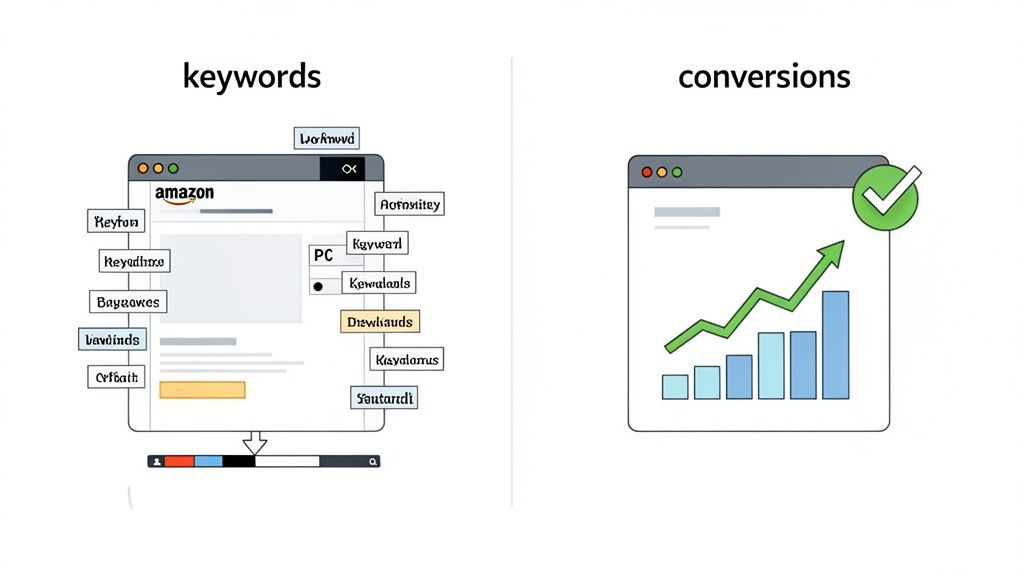
For years, the standard advice for Amazon sellers was to find high-volume keywords and stuff them everywhere. That strategy is obsolete. In today’s hyper-competitive marketplace, simply loading your title and bullets with keywords can damage your conversion rate and torch your ad budget.
Instead, e-commerce leaders must view the product detail page as a strategic asset. Every element—from the main image a shopper sees in search results to the last module in your A+ Content—directly impacts click-through rate (CTR), conversion rate (CVR), and, ultimately, your advertising efficiency and profitability.
From Cost Center to Growth Engine
Here's a no-nonsense way to think about it: running ads to a poorly optimized listing is like pouring marketing budget into a bucket riddled with holes. You can drive all the traffic you want, but if the page doesn’t convert, you're just funding a leaky-funnel operation. Ad costs will inflate, organic rank will stagnate, and you’ll be left analyzing why competitors are capturing market share.
Conversely, a high-performance, fully optimized listing creates a powerful, self-sustaining growth flywheel.
- A higher conversion rate signals to Amazon's algorithm that your product is a top performer.
- The algorithm rewards this performance with better organic search rankings.
- Higher rankings generate more high-margin, organic sales.
- More organic sales reduce your dependency on paid traffic, lowering your Total Advertising Cost of Sale (TACOS) and boosting overall profitability.
This direct link between listing quality and PPC performance is the key to sustainable scale on Amazon. When your listing converts efficiently, every advertising dollar works harder, creating a feedback loop where paid media fuels organic growth. Understanding the mechanics of this system, particularly the conversion-focused Amazon A10 algorithm, is non-negotiable for any brand serious about winning on the platform.
The Takeaway: Your listing is not a passive keyword repository; it's your primary sales driver. Every optimization should be tied to a clear performance goal, whether it’s increasing mobile CTR, clarifying a purchase-blocking question found in customer reviews, or driving a measurable lift in CVR.
To illustrate how each part of your listing contributes to this performance engine, I've put together a simple framework. It breaks down the core elements and connects them directly to the metrics that matter most for growth.
The Performance-First Amazon Listing Framework
| Listing Element | Primary KPI Impact | Why It Matters for Growth |
|---|---|---|
| Main Image & Title | Click-Through Rate (CTR) | A higher CTR from search results signals relevance to Amazon, improving ad performance and organic rank. |
| Bullet Points & A+ Content | Conversion Rate (CVR) | Compelling copy and visuals answer questions and build trust, turning traffic into sales and boosting profitability. |
| Backend Keywords | Search Impressions | Proper indexing ensures you show up for relevant long-tail and competitor searches, capturing qualified traffic. |
| Customer Reviews | Social Proof & CVR | High ratings and positive feedback build credibility, directly influencing the purchase decision. |
This table is your strategic cheat sheet. When auditing your listing, constantly refer back to these connections. An improvement in one area will have a cascading positive effect across your entire Amazon business.
This guide is your blueprint for building listings that don't just appear in search—they sell. We'll skip the generic fluff and focus on the practical, data-backed strategies you need to turn your product pages into conversion machines that amplify ad effectiveness and build a defensible brand on Amazon.
Write Product Titles and Bullets That Actually Convert
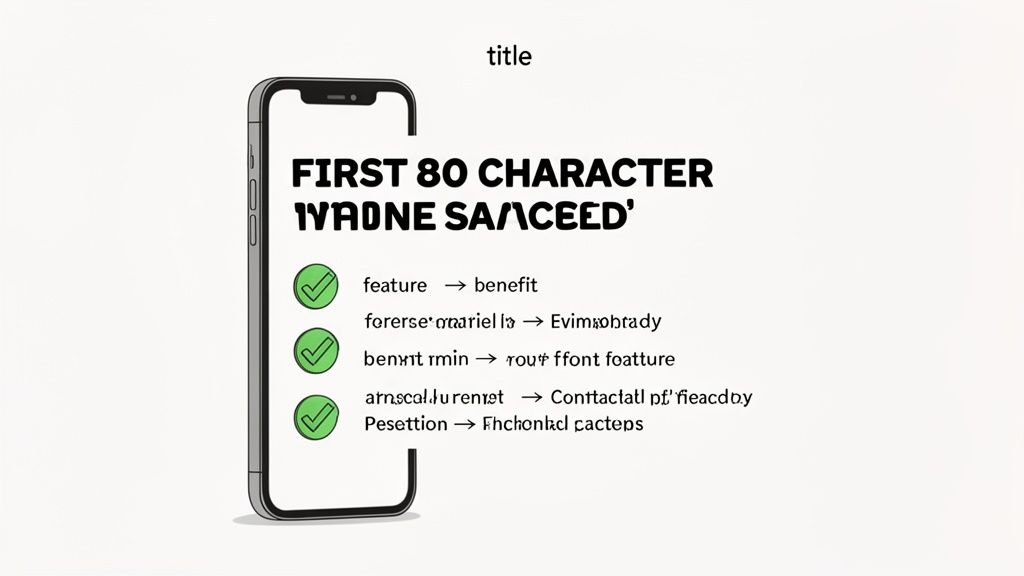
Let's get straight to the point: your product title and bullet points are the one-two punch that can make or break a sale. This is no longer about keyword density. It's about crafting high-impact sales copy that performs under pressure, especially on a mobile screen where every character is prime real estate.
Generic, keyword-stuffed titles are dead. Your goal is a sharp, informative headline that tells both shoppers and Amazon’s A10 algorithm precisely what you're selling and why it's superior. In 2025, that algorithm heavily weighs listing completeness and conversion history, making a well-crafted title a major lever for visibility.
The data is unequivocal. Listings that front-load their primary keywords and key benefits within the first 80 characters see up to a 35% higher click-through rate (CTR). Why? Because that’s the mobile viewport limit. More details on the latest trends are available in this guide to Amazon product listing optimization in 2025.
The directive is clear: get your most critical information upfront.
Crafting a High-Performance Product Title
A high-performing title follows a proven structure, blending brand, top keywords, and key product differentiators to maximize impact.
This formula consistently drives results:
[Brand Name] [Main Keyword/Product Type] - [Key Feature/Benefit 1], [Key Feature/Benefit 2], [Important Spec], [Size/Quantity]
Let’s analyze a real-world example. A generic, uninspired title for a water filter pitcher might be: “Water Filter Pitcher, 10 Cup, BPA Free, Reduces Lead, For Clean Drinking Water”
It’s functional, but it doesn't sell. Now, let’s apply the performance-driven formula: “AquaPure Water Filter Pitcher - Reduces Lead & Chlorine for Better Taste, Long-Lasting Filter, 10-Cup Capacity, Blue”
The second version is demonstrably better. It leads with the brand, clearly identifies the product, and immediately communicates benefits that solve a customer's problem. It’s scannable, information-dense, and optimized for how users actually shop on Amazon.
Writing Bullet Points That Solve Problems
If the title earned the click, your bullet points must close the deal. This is where you substantiate the claims in your title and directly address the customer's "why." Many brands fall into the trap of listing features. Do not be one of them.
The Takeaway: Stop selling features; start selling outcomes. A customer doesn't want a "drill with a lithium-ion battery" (the feature). They want to "hang a gallery wall in under an hour without being tethered to a cord" (the outcome).
The most effective method is a Feature-Benefit framework for every bullet point. Lead with a benefit-driven headline in all caps to capture attention, then provide a concise explanation.
Let’s apply this to a high-end blender:
POOR BULLET: “Powerful 1500-watt motor with variable speed control.” (This tells me what it is, not what it does for me.)
OPTIMIZED BULLET: “CRUSHES ICE TO SNOW IN SECONDS → Our commercial-grade 1500W motor pulverizes frozen ingredients, delivering perfectly smooth margaritas and protein shakes without the grit. Stop settling for chunky smoothies and enjoy coffee-shop quality drinks at home.”
The difference is stark. The second version connects a technical specification (1500W motor) to a tangible benefit (no more gritty smoothies) and an aspirational goal (coffee-shop quality). That is how you drive conversions.
A Practical Checklist for Your Bullets
Before publishing, run every bullet point through this quick audit. Does it:
- Lead with a Benefit? Seize their attention with the desired result.
- Connect to a Feature? Justify the benefit with a specific product attribute.
- Address a Pain Point? Demonstrate you understand the problem they’re solving.
- Build Trust? Mention quality materials, a warranty, or certifications to mitigate risk.
- Ensure Scannability? Use short sentences and avoid intimidating blocks of text.
When you engineer your titles for clicks and your bullets for conversions, you create a powerful engine for organic growth. This approach not only boosts rankings but also makes every advertising dollar you spend more efficient. It's the foundation of optimizing Amazon listings for real, sustainable scale.
Use Visuals and A+ Content to Drive Purchases
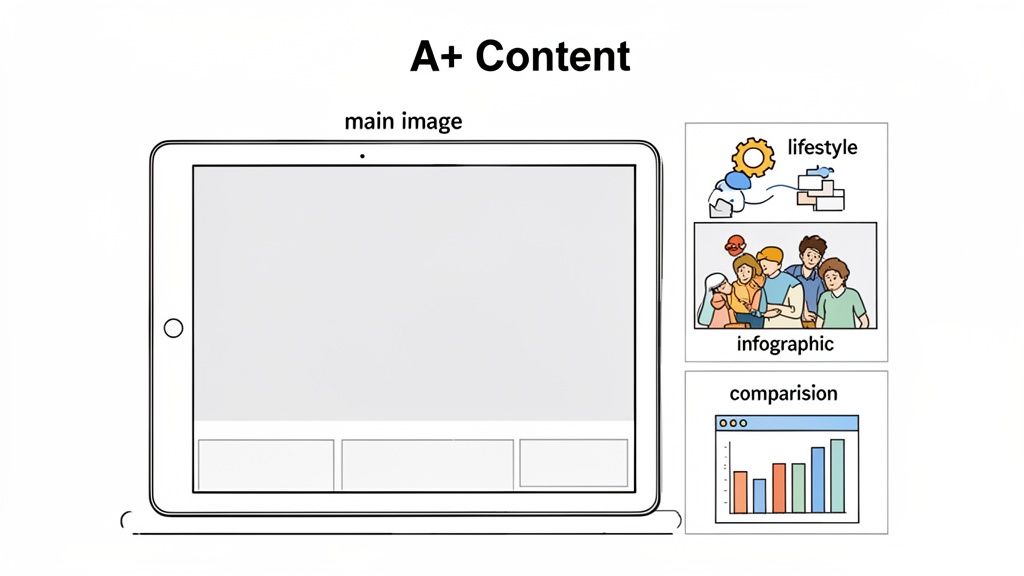
If your title and bullets secured the click, your visuals are what will close the sale. In an environment where customers can't physically interact with your product, your images and enhanced content must do all the heavy lifting.
This isn't about aesthetics; it's a critical conversion lever.
Think of your image stack as a visual sales presentation. Every image must have a specific job, whether it’s capturing attention in search, answering a technical question, or building brand trust. In 2025, high-quality visuals are non-negotiable, directly impacting click-through and conversion rates by 30-50%. Data shows that listings with seven or more high-resolution, zoomable images get 40% more clicks than those with inadequate photography. Shoppers decide in under three seconds, and your images are their first point of judgment. For more on this, review the 2025 optimization strategies on sellersprite.com.
Building a Complete Image Stack
A top-performing listing features a complete, strategic set of images designed to guide a customer from consideration to purchase. Your goal is to visually anticipate and answer every question before it's asked.
Here’s a practical checklist for a high-performing image stack:
- Compliant Main Image: A crisp, high-resolution shot on a pure white background is your entry ticket to appearing in search.
- Lifestyle Shots: Show your product in its intended environment. Selling a yoga mat? Show it in use in a bright, calming studio. This helps customers visualize the product in their own lives.
- Infographics: Don't just list features—visualize them. Use icons and text callouts to highlight differentiators like "IPX7 Waterproof" or "10-Hour Battery Life."
- Comparison Charts: Position your product against competitors or other models in your line. This is a powerful tactic to keep shoppers on your page and control the consideration set.
- Instructional & Dimension Images: Clearly show the product's scale and how to use it. A simple dimensions graphic can significantly reduce returns from customers who misunderstood the size.
Omitting any of these leaves a gap in your sales pitch and gives customers a reason to navigate to a competitor's page.
Turning A+ Content into a Conversion Tool
A+ Content is your opportunity to build a branded experience directly on your listing. It's far more than a space for generic brand assets; it's a powerful tool for telling your brand story, overcoming purchase objections, and cross-selling your product catalog.
Too many brands treat A+ Content as an afterthought. Don't make this mistake. Instead, use it as a direct line to your customer. Analyze your reviews and return data to identify common questions or points of friction, then build A+ modules that address them head-on. If customers frequently ask if your blender is easy to clean, create a module with high-quality imagery showing exactly how it disassembles for washing.
The Takeaway: Use your A+ Content to answer the unasked questions. When you proactively address the barriers to purchase, you build the trust and confidence shoppers need to click "Add to Cart."
At Headline, we leverage data from Amazon Marketing Cloud to continuously A/B test A+ Content modules. By analyzing which layouts and messaging drive the highest conversion rates, we eliminate guesswork and build pages based on proven performance.
Designing for Mobile and Increasing Dwell Time
A final critical point: design everything for a mobile-first experience. Over 70% of Amazon traffic now originates from mobile devices. This means your A+ Content needs large, legible text and bold imagery that communicates effectively on a small screen. Dense text blocks that look acceptable on a desktop are unreadable on the go.
Furthermore, adding a product video to your image carousel or A+ Content can significantly increase dwell time—the duration a shopper spends on your page. Amazon's A10 algorithm interprets longer dwell times as a strong signal of shopper interest, which can provide a valuable boost to your organic ranking.
A well-executed video can showcase your product in action, highlight its benefits dynamically, and build an emotional connection that static images cannot. For more insights on compelling visuals, see our guide on product photography for Amazon. When you invest in a complete visual strategy, you’re not just attracting shoppers—you’re converting them.
Uncover Hidden Wins with Backend Keywords and Attributes
While your title, bullets, and images capture customer attention, the backend of your listing provides a clear roadmap for Amazon's A10 algorithm. This is your opportunity to tell Amazon precisely who your product is for, attracting highly relevant shoppers that your competitors may be completely overlooking.
Many sellers simply paste a disorganized list of keywords into the backend and move on. This is a significant missed opportunity. Treat your backend not as a junk drawer for leftover keywords, but as a strategic tool for discoverability.
Making the Most of the 249-Byte Search Terms Field
Amazon provides a concise but powerful 249 bytes (not characters) for your backend "Search Terms." This space is pure gold for indexing all the valuable search queries that don't fit naturally or sound awkward in your customer-facing copy.
The objective is maximum keyword coverage without redundancy. Never repeat keywords that are already in your title or bullet points—Amazon already indexes those. Instead, use this field to cast a wider, more strategic net.
- Synonyms and Variations: If you sell a "laptop stand," include terms like "computer riser" or "notebook holder."
- Common Misspellings: Shoppers make typos. Adding a common misspelling like "brita filter" for a "Brita filter" can capture otherwise lost sales.
- Spanish or Other Language Terms: If you have a significant Spanish-speaking customer base, add high-volume Spanish keywords to increase your reach.
The best source for these terms is the Search Query Performance (SQP) report in Brand Analytics. It provides the raw, unfiltered search terms actual customers are using to find your products. This data is your treasure map for populating the backend with proven, high-intent keywords.
Key Insight: Your backend search terms should function like a sniper rifle, not a shotgun. Every byte must count, targeting a unique and relevant search term that expands your indexing footprint without repetition.
Why Product Attributes Are Your Secret Weapon
The single most overlooked optimization area is the "More Details" tab. This is where you specify product attributes like material, color, size, compatibility, and intended use. While tedious, skipping this step is a critical error.
Consider the customer journey. A user searches for "women's running shoes." Their next action is almost always to use the filters on the left-hand sidebar to refine by "Size: 8," "Brand: Nike," and "Color: Black."
If you haven’t populated those attributes, your product is invisible in those filtered searches. A high-intent buyer who knows exactly what they want will never see your listing. Our analysis shows that shoppers who use filters are 2-3x more likely to convert because they have already narrowed their consideration set to their ideal product.
Meticulously completing every relevant attribute is one of the highest-impact, lowest-effort optimizations you can make. It ensures your product is visible to customers deep in the purchase funnel. This isn't a box-ticking exercise; it's a fundamental component of retail readiness on Amazon.
Connect PPC Data to Your Organic Strategy
Your ad campaigns are more than just a tool to acquire sales; they are your brand's private R&D lab. The most common mistake brands make is managing PPC and organic optimization in separate silos. The secret to sustainable scale is creating a data feedback loop where ad spend continuously informs and improves your organic presence.
This is the shift from guessing what works to using real-world performance data to make smarter listing decisions. Every dollar spent on ads isn't just buying a sale; it's buying invaluable market intelligence that sharpens every component of your product page. This is the core of Headline's philosophy: using PPC as a strategic lever for organic growth and long-term profitability.
Mine Your Search Term Reports for Conversion Gold
The most direct link between your advertising and organic strategy is the Search Term report within Amazon Ads. This report is a goldmine, showing you the exact phrases real customers searched for immediately before clicking your ad and purchasing your product.
This isn't a theoretical keyword list from a third-party tool; it's a proven record of high-converting terms from shoppers with high purchase intent.
Your task is to analyze these reports regularly, hunting for phrases with both a high click-through rate (CTR) and a strong conversion rate. These are your "money keywords"—the literal language of your best customers.
Once identified, these terms must be strategically woven into your listing where they will have the most impact:
- Lead with them in your bullet points. This immediately signals to shoppers that they've found the right product.
- Incorporate them into your A+ Content. This reinforces key benefits and speaks directly to customer needs.
- Add them to image alt text (where applicable) to boost visual search indexing.
This flow chart illustrates how raw customer search data is transformed into a powerful, optimized backend for your listing.
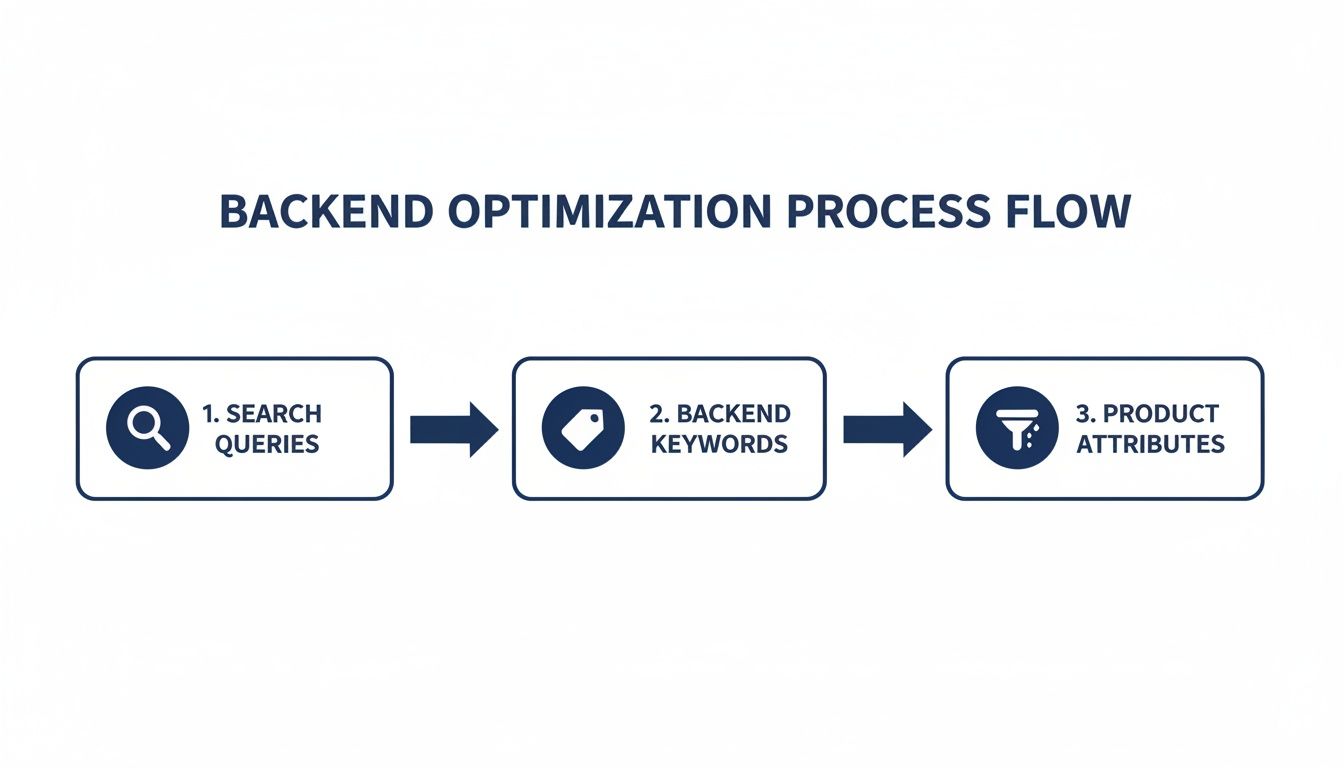 As you can see, a data-driven process begins with actual customer search behavior.
Use Ads to A/B Test Your Way to a Better Listing
What is the optimal main image for your product? Does a benefit-focused title outperform a feature-heavy one? Will a price reduction drive enough incremental sales to justify the margin impact? Stop debating these internally and let the market provide the definitive answer.
Your ad campaigns are the perfect, controlled environment for A/B testing. You can execute small, targeted experiments to measure exactly how listing changes affect key performance indicators.
Here’s a simple, practical framework:
- Isolate One Variable to Test: To get clean data, change only one element at a time. If you're testing your main image, keep the title, price, and all other variables constant.
- Set Up a Simple Campaign: A Sponsored Brands ad is ideal for this. Create a campaign with two ads pointing to the same ASIN. The only difference should be the variable you're testing (e.g., Image A vs. Image B).
- Run and Measure: Allow the campaign to run long enough to collect statistically significant data, typically 1-2 weeks. Then, analyze the results. Compare CTR to see which version earned more clicks and conversion rate to see which drove more sales.
- Implement the Winner: Apply the winning element to your organic listing.
The Takeaway: This data-driven approach removes guesswork and internal bias from decision-making. The market tells you exactly what it prefers; your job is to listen and adapt. This transforms your ad budget from a simple expense into a strategic investment in your brand's long-term organic health and profitability.
This continuous feedback loop is what separates top-tier sellers from the rest. You're no longer just running ads; you're building a smarter, more resilient business. By constantly feeding PPC insights back into your organic listing, you create a powerful compounding effect where higher conversion rates lead to better organic rank, which in turn makes your ads more efficient and profitable. To better manage this, see our guide on using an Amazon keyword tracker to monitor performance over time.
Got Questions About Your Amazon Listings?
Optimizing an Amazon listing is not a one-time project; it's a continuous cycle of testing, learning, and adapting to performance data. I get asked a lot of the same questions from brands trying to establish a competitive advantage on the platform, so let's address some of the most common ones.
How Often Should I Be Updating My Listing?
Forget a fixed schedule. The correct answer is: when the data demands it. Your listing is a living asset, and a "set it and forget it" approach is a surefire way to lose ground to more agile competitors.
Key data-driven triggers for an update include:
- Discovering a new "golden" keyword. When ad reports reveal a new, high-converting search term, it's time to integrate it into your listing copy.
- A sudden drop in conversion rate. A significant CVR decline is a critical alert. It's your cue to audit your images, bullets, and A+ Content to identify what is no longer resonating with shoppers.
- A negative review highlights a problem. If a customer review points out a common misunderstanding (e.g., product size), you must update your listing immediately to preemptively address the issue for future customers, such as by adding a clear dimensions graphic.
As a general guideline, conduct a high-level health check of your listings monthly and a full, deep-dive audit quarterly. Always let sales and advertising data guide your priorities.
Can I Put Competitor Brand Names in My Backend Keywords?
This is a classic question. The short answer is yes, but it is critical to understand the strategic why and where. You can—and often should—use competitor brand names in your backend search terms, but only to inform your PPC ad targeting.
This makes your product eligible to appear in sponsored placements when a shopper searches for that specific competitor.
Here's the critical part: This is an advertising strategy, not a customer deception tactic. Never place a competitor's brand name in your title, bullet points, or description. That is a clear violation of Amazon's policies and a fast track to getting your listing suppressed. The backend is the only safe and effective place for this strategy.
What’s More Important: The Title or the Bullet Points?
This is like asking if an engine or tires are more important for a car. They perform two distinct, equally vital functions.
Your title has one primary objective: to earn the click from a crowded search results page. It is your headline, designed to maximize your Click-Through Rate (CTR), especially on mobile. The best titles merge your most important keyword with a compelling benefit.
Once you’ve earned the click, the bullet points take over. Their job is to convert that click into a sale. This is where you substantiate the promise made in the title, solve customer problems, and overcome any purchase hesitation. A great title gets them in the door; great bullets close the sale.
Why Isn’t My Listing Showing Up for My Main Keyword?
This is a common frustration, and it usually stems from a few culprits. First, check the basics: ensure the keyword is placed in a high-priority field like the title and that you haven't used special characters that might confuse the algorithm.
More often, however, the root cause is relevance. Amazon's A10 algorithm is obsessed with customer experience. It prioritizes products with a proven sales history for a specific keyword. If your sales velocity and conversion rate for that term are low, Amazon will favor competitors it deems a better match for the search query.
This is where your ad strategy becomes an indispensable tool. Running a targeted PPC campaign on that exact keyword can generate the sales history required to prove your relevance to Amazon. It's a method to kickstart your organic ranking and demonstrate to the algorithm that your product is the superior choice for that search.
Ready to stop guessing and start building a data-driven optimization strategy? At Headline Marketing Agency, we use advanced analytics and a performance-first approach to turn your Amazon listings and ad campaigns into a powerful engine for profitable growth. Schedule a consultation with our experts today.
Get Your Free Amazon PPC Audit
Discover untapped growth opportunities and see how our data-driven approach can improve your ROAS.
Get Free Audit →Wollen Sie Ihre Amazon PPC-Performance aufs nächste Level bringen?
Lassen Sie Ihre Amazon PPC-Kampagnen professionell analysieren und entdecken Sie neue Wachstumsmöglichkeiten.