Amazon PPC Bulk Operations: A Scalable Playbook
Unlock profitable scale with our guide to Amazon PPC bulk operations. Learn agency-level workflows for bids, keywords, error handling, and automation.

You've got a product portfolio that's growing, campaign structures differ by marketplace, and a routine bid change now means hours inside Seller Central. One misplaced edit can pause the wrong target, overwrite a recent change, or leave part of a file unprocessed without making the business impact immediately obvious.
Amazon PPC bulk operations solve the scale problem, but they also expand the blast radius of mistakes. The winning approach treats bulk files as controlled deployments, not oversized spreadsheets. With clean source data, explicit operations, version control, and post-upload reconciliation, teams can turn PPC into a repeatable lever for profitability, organic growth, and sustainable Amazon scale.
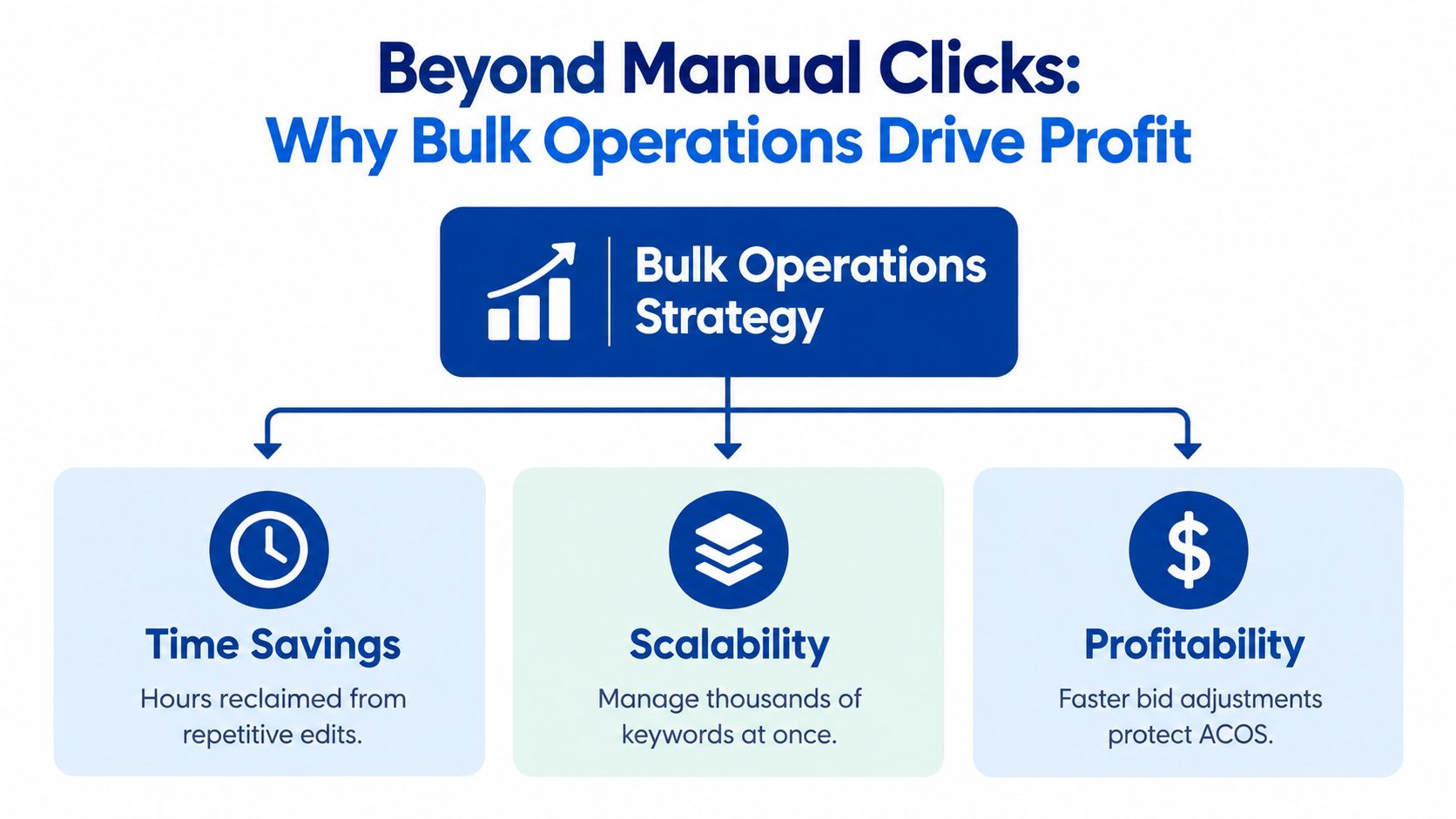
Beyond Manual Clicks Why Bulk Operations Drive Profit
Manual campaign management works until the account becomes too complex for individual edits. A strategist may need to adjust bids, budgets, targeting, ad groups, and product ads across several campaign families, then repeat the work across markets. The console remains useful for inspection and isolated decisions, but it becomes a poor operating model for coordinated portfolio changes.
Amazon positions bulk operations between console work and API automation. Its spreadsheet-based system can create and edit hundreds of campaigns in bulk, update campaign names, download campaign-performance metrics, and support offline spreadsheet management. Amazon describes console, bulk operations, and API as complementary campaign-management approaches, so advertisers can use each where it fits rather than forcing every task into one system. Amazon's bulk-operations documentation outlines this role for medium-scale advertisers, agencies, and e-commerce teams that need more scale without building an integration or securing API approval.
Scale creates strategic options
The core value isn't the spreadsheet itself. It's the ability to test a structured hypothesis across a campaign portfolio without asking an analyst to repeat the same action row by row.
A team might separate high-intent exact targets from discovery campaigns, apply different bid logic to each group, and then evaluate the result against profitability and organic visibility. PPC can support organic growth when it gives relevant products more qualified exposure, generates sales on strategically important search terms, and helps the brand defend conversion opportunities. That doesn't mean every paid click improves organic rank. It means advertising decisions should connect to retail readiness, conversion quality, contribution margin, and search-term priorities rather than stopping at a single efficiency metric.
Bulk files also create repeatability. A documented naming system, consistent campaign architecture, and reusable transformation logic make it easier to launch product families, localize structures, and manage seasonal changes. A practical Amazon PPC software perspective can help teams decide where spreadsheets remain sufficient and where software or API-connected workflows are justified.
Strategic rule: Use the console for judgment, bulk files for coordinated execution, and the API when the process needs continuous programmatic integration.
Bulk operations don't replace expertise. They give experienced operators a safer way to apply expertise at scale. The reward is not merely reclaimed time. It's faster testing, more consistent account architecture, and a clearer path from advertising activity to profitable marketplace growth.
The Core Bulk File Workflow Dissected
A reliable workflow starts before anyone changes a bid. The operator first decides whether the task is an optimization of live entities or a new build. That choice determines whether the correct starting point is a current campaign download or a blank template.
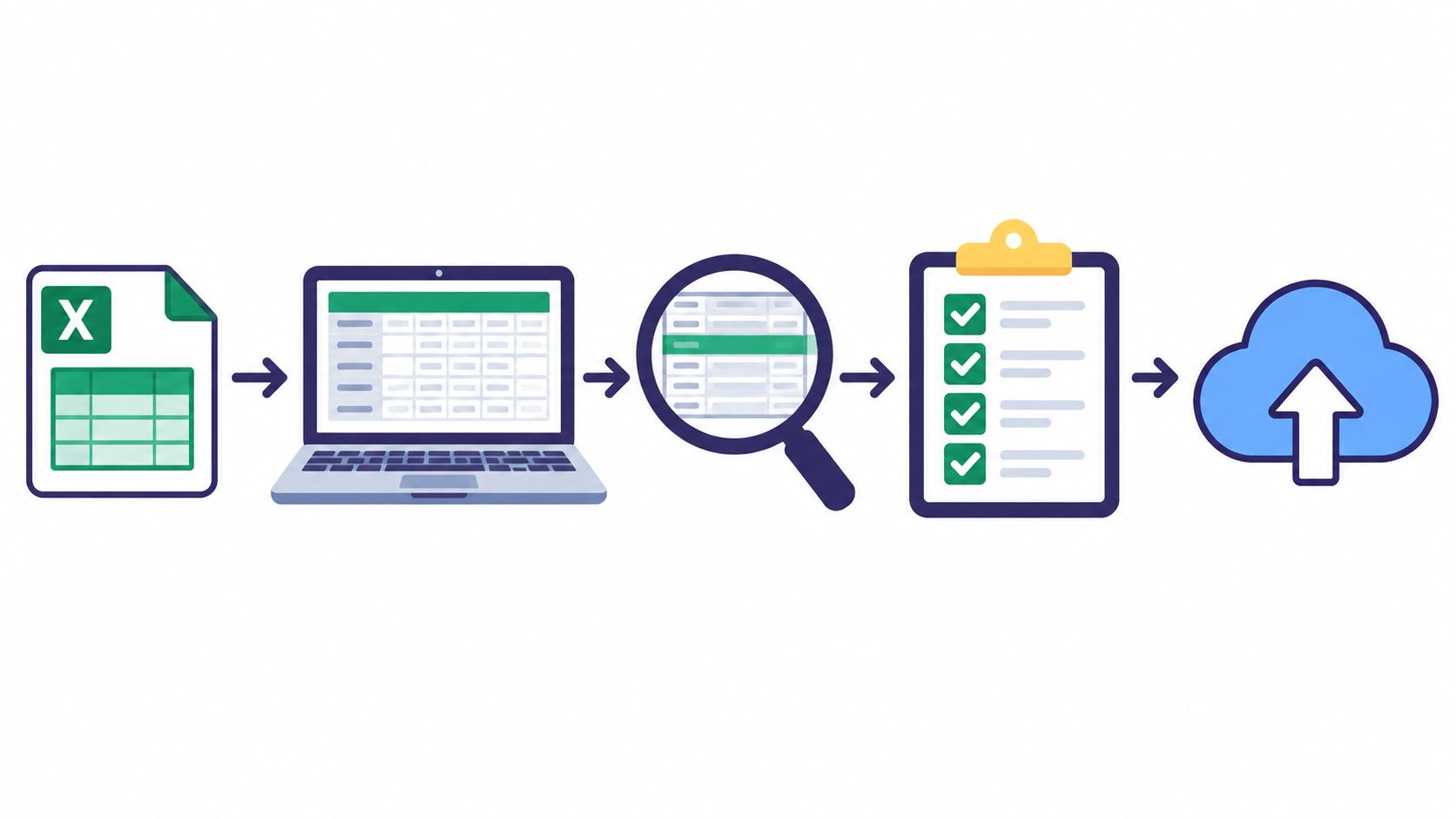
For live optimization, download the current campaign data so Amazon's entity IDs and existing relationships remain intact. For a new structure, use the correct blank template and build the hierarchy deliberately. Amazon's documented process is download, preserve the parent-child structure, validate columns A through C, apply changes, upload, and review processing errors. Each campaign, ad group, keyword, ad, and targeting entity needs its own row with an explicit operation. Amazon's Sponsored Ads bulk-operation guidance defines column A as Product, column B as Entity, and column C as Operation.
Build the file in the right order
For new campaigns, create parent rows before child rows. A campaign must exist before its ad group, and the ad group must exist before the product ad, keyword, or target that belongs inside it. Every row should carry a clear Create, Update, or Archive instruction. Blank operation cells are ignored, which means a visually complete spreadsheet can still produce an incomplete deployment.
For optimization batches, don't rebuild identifiers from names. Download the live file, preserve immutable IDs, and change only the fields required for the approved task. Names help humans make sense of the file, but they aren't a reliable substitute for entity identity.
Treat upload as a controlled handoff
Before saving, validate:
- Columns A through C: Confirm the product, entity, and operation values are accepted and correctly aligned.
- Hierarchy: Check that parent campaigns and ad groups exist before their child entities.
- Scope: Confirm that the file contains only the marketplace, campaign family, and change type being deployed.
- Values: Review bids, budgets, statuses, targeting syntax, dates, and portfolio assignments.
- Format: Save in Amazon's supported spreadsheet format and preserve required tabs and fields.
Upload the file, then read the processing report rather than assuming success. Amazon records processed rows and errors and allows users to download a report identifying affected rows and causes. Quarantine failed rows, correct them, and re-upload only the approved corrections. A performance reporting workflow, such as PPC reporting guidance, is useful for separating operational upload status from the commercial results that follow.
Teams managing multiple brands may also pair Amazon's native files with a white-label Amazon Ads dashboard to give account owners a cleaner view of campaign performance and client-facing reporting. The dashboard should support, not replace, the source-file controls and reconciliation process.
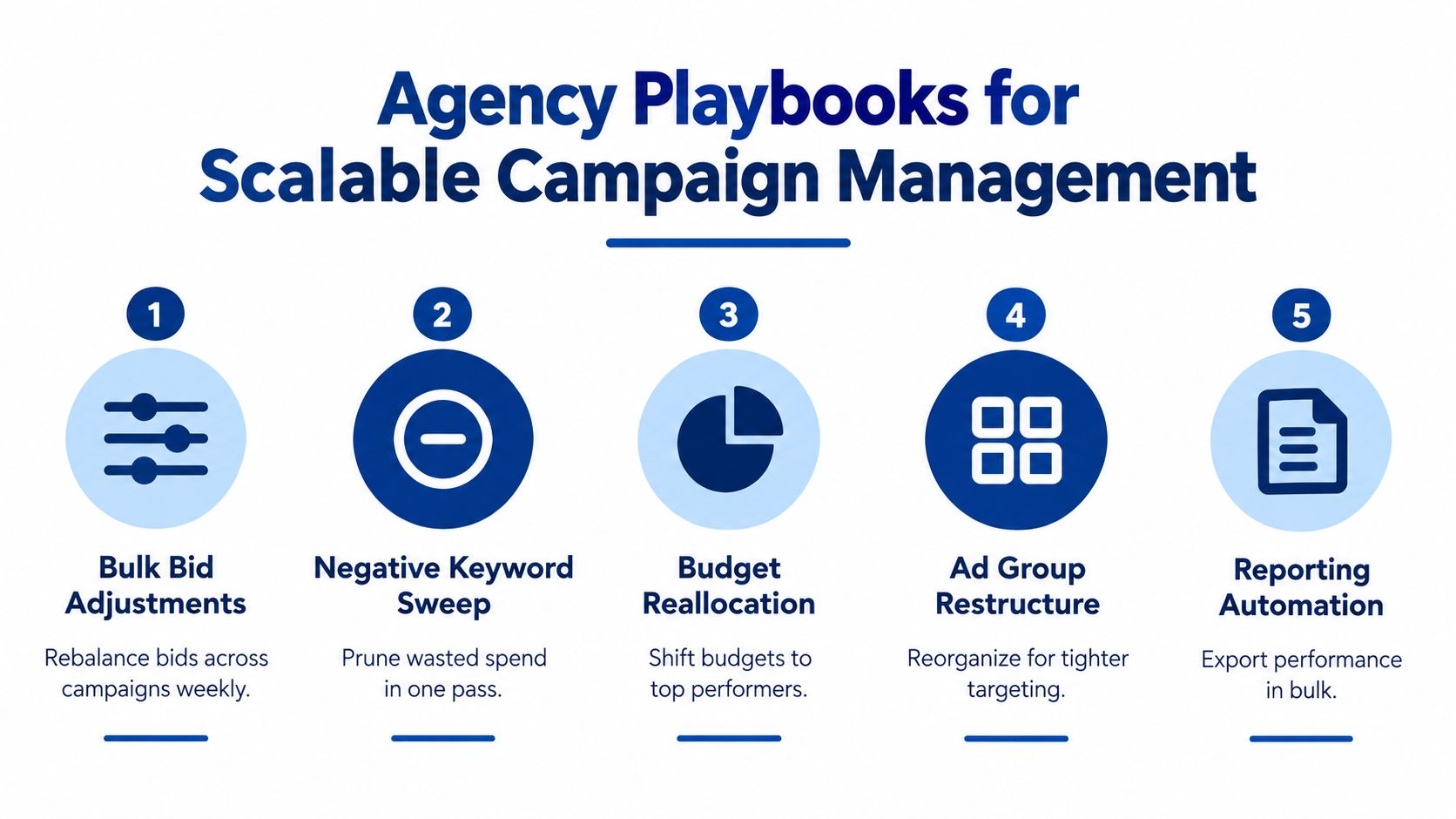
Agency Playbooks for Scalable Campaign Management
Strong agencies don't use one universal bulk file. They create repeatable playbooks for specific commercial decisions, then limit each deployment to a clear purpose. That keeps the logic auditable and makes it easier to understand whether a change worked.
Launching a structured campaign family
A new product launch usually needs more than one campaign type. Sponsored Products can capture search and product-targeting demand, Sponsored Brands can support branded visibility, and Sponsored Display can extend product or audience coverage. Amazon's current bulk workflow supports creation, updates, and archiving across Sponsored Products, Sponsored Brands, and Sponsored Display. Downloadable files can also include CPC, ROAS, and conversion rate fields for analysis, as documented in Amazon's bulksheet migration guide.
The launch file should separate campaign rows from ad groups, product ads, keywords, and targets. Use a naming convention that identifies marketplace, product family, intent, and match logic without relying on names as the primary identifier. Create the parent structure first, validate the product eligibility and targeting values, then stage the upload by campaign family.
The expected outcome is structural consistency. Analysts can compare like with like, move search terms between discovery and harvesting campaigns, and make later updates without reverse-engineering an improvised setup.
Rebalancing bids by performance segment
A single blanket bid increase is fast, but it ignores the difference between profitable converters, expensive traffic, and targets with insufficient delivery. A better playbook exports the relevant performance fields, segments entities according to the account's approved commercial rules, and applies changes only to the intended rows.
For example, one segment may contain targets that deserve more exposure because they combine relevant traffic with acceptable profitability. Another may require a lower bid because spend is outpacing commercial return. A third may need investigation rather than an automatic change because limited delivery provides too little evidence.
Keep bid changes separate from budget changes when possible. If both move in the same file, the team may struggle to attribute the outcome. Store the original values, the proposed values, and the decision rule outside the upload file so the next analyst can reproduce the logic.
Harvesting search terms and expanding negatives
Search-term harvesting works best when the team treats it as a controlled transfer of learnings. Identify relevant converting queries or strategically important terms, add them to the appropriate campaign structure, and use negative targeting to reduce unwanted overlap or waste where the evidence supports it.
A portfolio-wide negative sweep deserves extra care. The same query may be valuable for one product and irrelevant for another, especially when products serve different use cases or price positions. Segment the file by product family and campaign role instead of applying a catalog-wide exclusion without review.
Archiving targets and reallocating budgets
Archiving should follow a documented decision rule, not frustration with a weak report. Check whether the entity has enough meaningful delivery, whether the product detail page is retail-ready, and whether the target supports an intentional discovery or defensive role. A target with poor immediate efficiency may still provide useful insight, while an apparently weak target may only lack relevant impressions in the selected export.
Budget reallocation should reflect the same discipline. Move available budget toward campaigns that support the brand's commercial priorities, but preserve coverage for strategic terms and products that need visibility. The purpose is not to maximize a single dashboard metric. It's to fund the right combination of demand capture, discovery, brand defense, and organic-growth support.
This video provides a visual introduction to the operational side of Amazon advertising workflows:
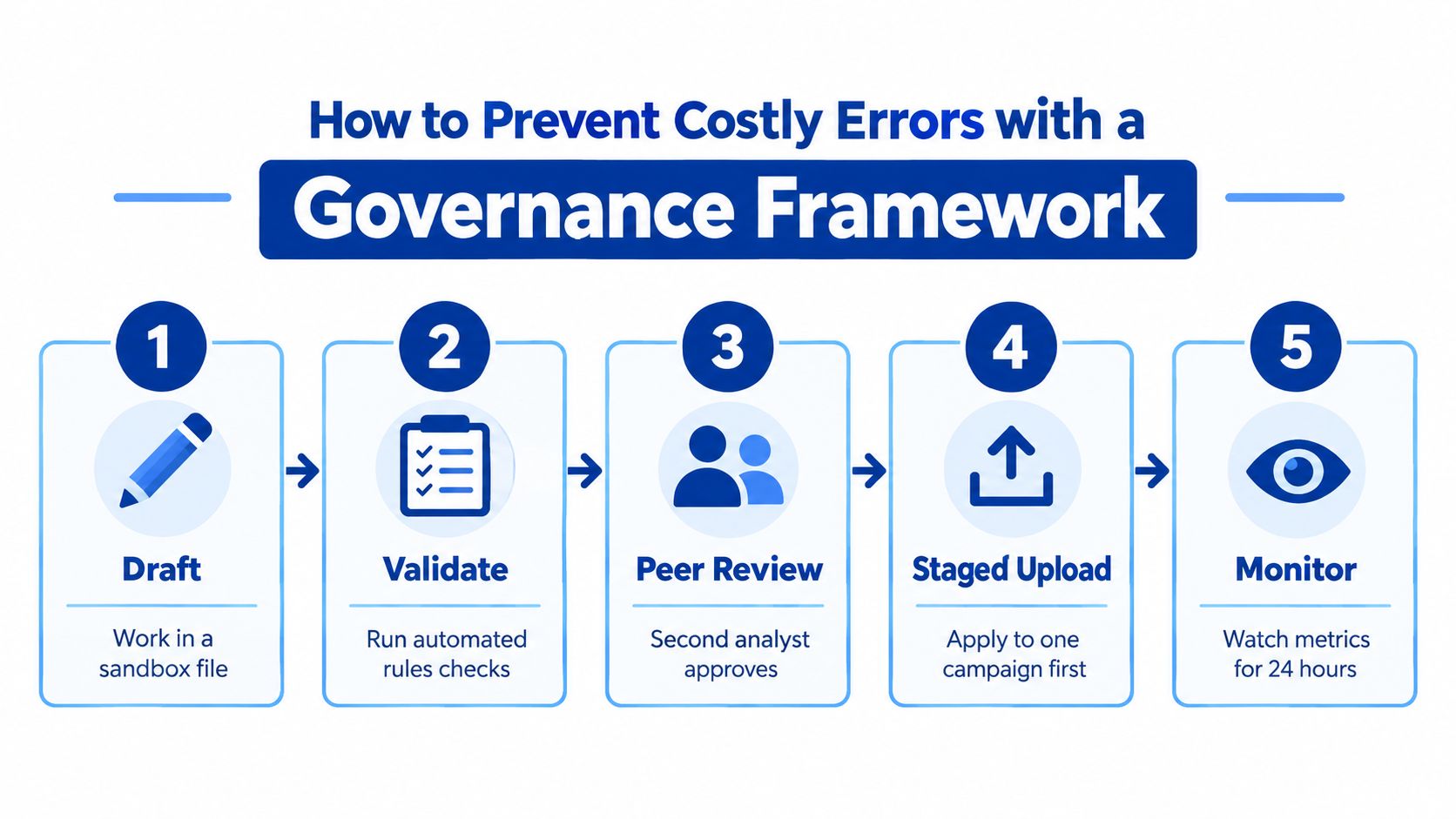
How to Prevent Costly Errors with a Governance Framework
The dangerous assumption is that a successful upload equals a successful change. Amazon can accept a technically valid spreadsheet while the business outcome remains wrong, incomplete, or broader than intended. Bulk operations reduce repetitive work, but they increase the number of entities affected by one faulty value, duplicated identifier, or mistaken status.
Amazon imposes operational constraints that make deployment planning necessary. Sponsored Brands campaign creation is limited to 100 keywords per campaign upload, and DSP uploads are limited to 2 MB and 1,000 campaign or ad-group rows per file, according to Amazon's DSP bulk-operation FAQs. The Sponsored Brands workaround is to create the campaign with a small initial keyword set, then use a second Update upload for the remaining keywords.
Version control comes first
Save the untouched source file before editing it. Give the working file a versioned name that identifies the marketplace, account, purpose, and date without relying on memory. Keep the proposed changes and the final uploaded file as separate artifacts.
A practical change record includes:
- Business objective: State whether the file supports launch, efficiency, discovery, defense, or cleanup.
- Scope: List the marketplaces, campaign families, entity types, and fields included.
- Decision logic: Record the rule used to select rows and calculate values.
- Approval: Assign a reviewer who wasn't the person who created the transformation.
- Rollback source: Preserve the pre-change values needed to reverse the deployment.
This discipline also protects against stale data. Don't use a file that has been sitting in a shared folder while another operator changes the account in Seller Central. Download fresh data for live updates and preserve immutable entity IDs.
Validate before creating blast radius
Use automated checks where possible, but don't confuse automation with judgment. Validation should flag missing parents, duplicate identifiers, blank operations, unexpected status changes, out-of-range bids, suspicious budget movements, malformed dates, invalid targeting syntax, and archive actions outside the approved scope.
Split files by marketplace, campaign family, and operation type. A bid update should not casually carry unrelated budget, targeting, and archive changes. Smaller logical uploads make errors easier to isolate and reduce the damage from a mistaken transformation.
Deployment principle: A bulk file should be small enough that a reviewer can explain every material change in it.
The governance model used for Amazon can also inform broader marketing automation controls. Teams looking beyond PPC may find automation governance for LinkedIn useful as a comparison for approval, monitoring, and accountability practices.
Reconcile the applied state
After processing, download the relevant campaign data again. Compare intended versus actual values at the row level, using entity IDs rather than names. Confirm that bids, budgets, statuses, targeting settings, and portfolio assignments match the approved file, then isolate any discrepancy for investigation.
Don't re-upload the entire file when only a subset failed. Amazon provides processing and error information, so retain the report, quarantine the affected rows, and correct the narrowest possible set. The post-upload download becomes the source of truth for what Amazon applied.
An Amazon PPC auditing service can support this type of review when an account needs a more formal diagnostic layer. Whether the work stays in-house or uses an external specialist, the standard should remain the same: every meaningful bulk change needs an owner, an approved scope, and evidence of the resulting state.
Optimizing Your Data Download for Smarter Decisions
A bulk file is only as useful as the dataset behind it. Amazon's standard bulk-download window is capped at 60 days, and the default settings exclude terminated campaigns and items with zero impressions. Placement data is included by default. These settings can be sensible for a focused optimization task, but they aren't neutral reporting choices. Amazon's bulk-download guidance documents the available filters and their effect on the export.
Match the export to the decision
For a recent bid review, a focused date range may be appropriate. For profitability analysis, portfolio planning, or a seasonal comparison, the standard window may not contain the historical context the team needs. Preserve a separate campaign inventory so terminated or inactive entities don't disappear from the organization's record merely because they were excluded from one working file.
Zero-impression items deserve special treatment. They may reflect weak relevance or insufficient bids, but they may also be deliberate tests, newly created entities, or targets that haven't received delivery in the selected period. Excluding them can make an account look cleaner while hiding the exact entities that need diagnosis.
Treat placement fields as decision inputs
Placement data is included by default, and it can change how a team interprets bid and budget performance. Before shifting spend, check whether results differ by placement and whether the proposed action addresses a placement issue, a target issue, or a conversion issue on the detail page.
Use separate exports for separate questions:
- Efficiency review: Focus on the period and entities relevant to the current optimization decision.
- Inventory control: Include terminated and zero-impression items when reviewing account completeness.
- Placement analysis: Retain placement fields before changing bids or budgets.
- Historical planning: Combine preserved internal files with the current Amazon export when the standard window doesn't cover the required context.
The operator's job isn't just to download data. It's to understand what Amazon left out, why the filters were selected, and whether the resulting file supports the decision being made.
From Efficiency to Enterprise Your Strategic Takeaway
Amazon PPC bulk operations are an execution layer for a broader commercial system. They connect campaign architecture, search-term decisions, bid management, budget allocation, and reporting, but they only create durable value when the team governs the process around them.
The practical model is straightforward:
- Use bulk files for repeatable scale: Apply structured changes across campaign families and markets.
- Protect profitability: Separate bid, budget, targeting, and archive decisions so each can be evaluated clearly.
- Support organic growth: Use paid search to reinforce relevant products and strategic queries without treating advertising as a substitute for retail readiness.
- Prove what changed: Preserve source files, validate inputs, review processing reports, and reconcile the applied state.
Reactive ACOS chasing keeps teams busy. A governed bulk-operation program gives leaders a way to manage the advertising portfolio proactively, with clearer links between paid performance, contribution economics, organic visibility, and long-term market position.
Headline Marketing Agency combines Amazon PPC and DSP strategy with campaign architecture, bid management, negative-keyword optimization, search-term analysis, and reporting across Sponsored Products, Sponsored Brands, and Sponsored Display. If your account has outgrown manual changes, Headline Marketing Agency can help build a scalable operating model that treats bulk execution, profitability, and organic growth as one connected system.
Get Your Free Amazon PPC Audit
Discover untapped growth opportunities and see how our data-driven approach can improve your ROAS.
Get Free Audit →Ready to Transform Your Amazon PPC Performance?
Get a comprehensive audit of your Amazon PPC campaigns and discover untapped growth opportunities.