Unlocking Amazon Search Terms for PPC and Organic Growth
Finding the right Amazon search terms is step one. Using them profitably across PPC and listings is where the real skill lives.


When you're running ads on Amazon, it’s easy to get tangled up in the jargon. Two terms that often get mixed up are search terms and keywords. Getting this right isn't just about semantics—it's the absolute foundation for a profitable ad strategy that drives both sales and organic ranking.
In simple terms, search terms are the exact words and phrases that real shoppers type into the Amazon search bar. They are the voice of the customer. Keywords, on the other hand, are the terms you (the seller) tell Amazon you want to bid on in your advertising campaigns.
The Critical Difference Between Keywords and Search Terms
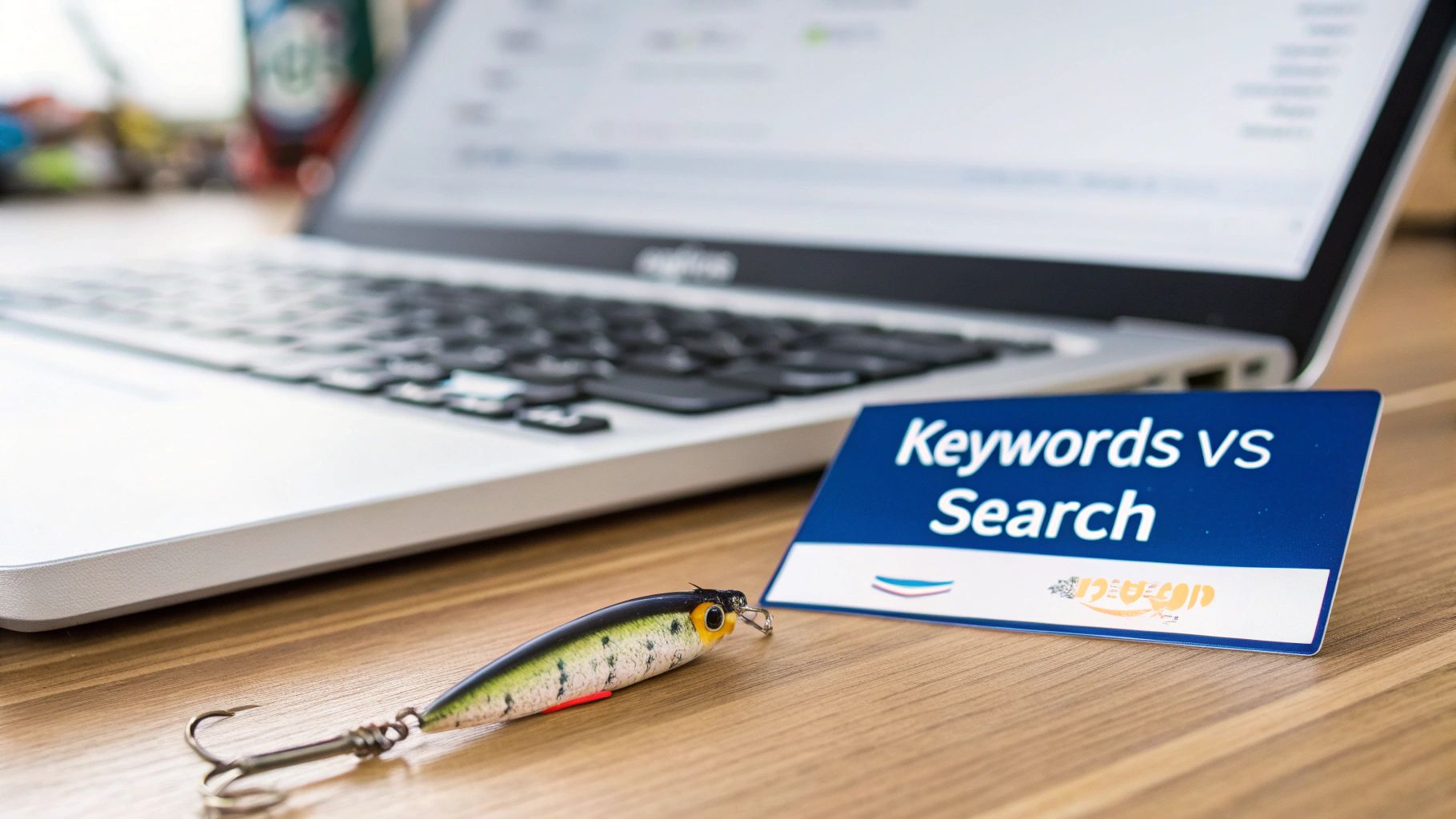
Let's use a fishing analogy to make this crystal clear.
Keywords are like the bait you put on your hook. You might pick a "glow-in-the-dark lure" (your keyword) because you believe it will attract the specific fish you want to catch. It’s your strategic input based on research and experience.
Amazon search terms are what the fish are actually biting on. These are the raw, unfiltered queries your customers are using. Your keyword "running shoes for men" might lead to your ad showing up for a dozen different search terms, including:
- "best lightweight running shoes for men size 11"
- "men's trail running shoes waterproof"
- "cheap sneakers for gym" (this one might be a poor match, costing you money)
This is why the difference is so critical. If you only look at your keywords, you're essentially fishing blind, hoping the right fish swims by. But when you analyze your search terms, it’s like having an underwater camera. You can see exactly what shoppers are looking for, what language they use, and which of your ads are actually hitting the mark.
To make it even simpler, here's a quick side-by-side comparison.
Keyword vs Search Term At a Glance
This table breaks down the two concepts to give you a quick reference point.
| Concept | What It Is | Strategic Role |
|---|---|---|
| Keyword | A term you, the seller, target in a PPC campaign. | The "bait" you use to tell Amazon who to show your ads to. It’s your input. |
| Search Term | The exact phrase a real customer types into the search bar. | The real-world data showing what customers actually want. It's your feedback. |
Understanding this distinction is the first step toward building a data-driven strategy.
From Guesswork to Data-Driven Decisions
By focusing on your search term data, you move from guessing what shoppers want to knowing what they want. This is the direct voice of your customer, neatly packaged in a report. And considering that Amazon's own data shows 70% of customers use the search bar to find products, this information is pure gold.
Digging into this data helps you do three crucial things:
- Cut Wasted Ad Spend: You can quickly spot and block irrelevant search terms that are burning through your budget. Think of clicks for "garage floor mat" when you're selling yoga mats—you need to stop that bleeding.
- Find Hidden Growth Opportunities: You'll uncover high-converting, long-tail search terms you never would have thought of on your own. This is where you find new pockets of customers and scale your campaigns profitably.
- Boost Your Organic Rankings: The language from your best-performing search terms is a perfect roadmap for optimizing your product title, bullet points, and description. This helps you rank higher organically over time.
Headline's POV: PPC isn't just a sales channel; it's a strategic lever for organic growth and profitability. PPC spend becomes an investment in sustainable, long-term market share when used to inform your broader strategy.
The takeaway is simple: Stop managing your campaigns based on keywords alone. The most successful Amazon brands build their entire strategy on search term analysis. It’s the only way to ensure every ad dollar you spend is working hard to find profitable customers and build a strong organic presence.
Decoding Your Amazon Search Term Report
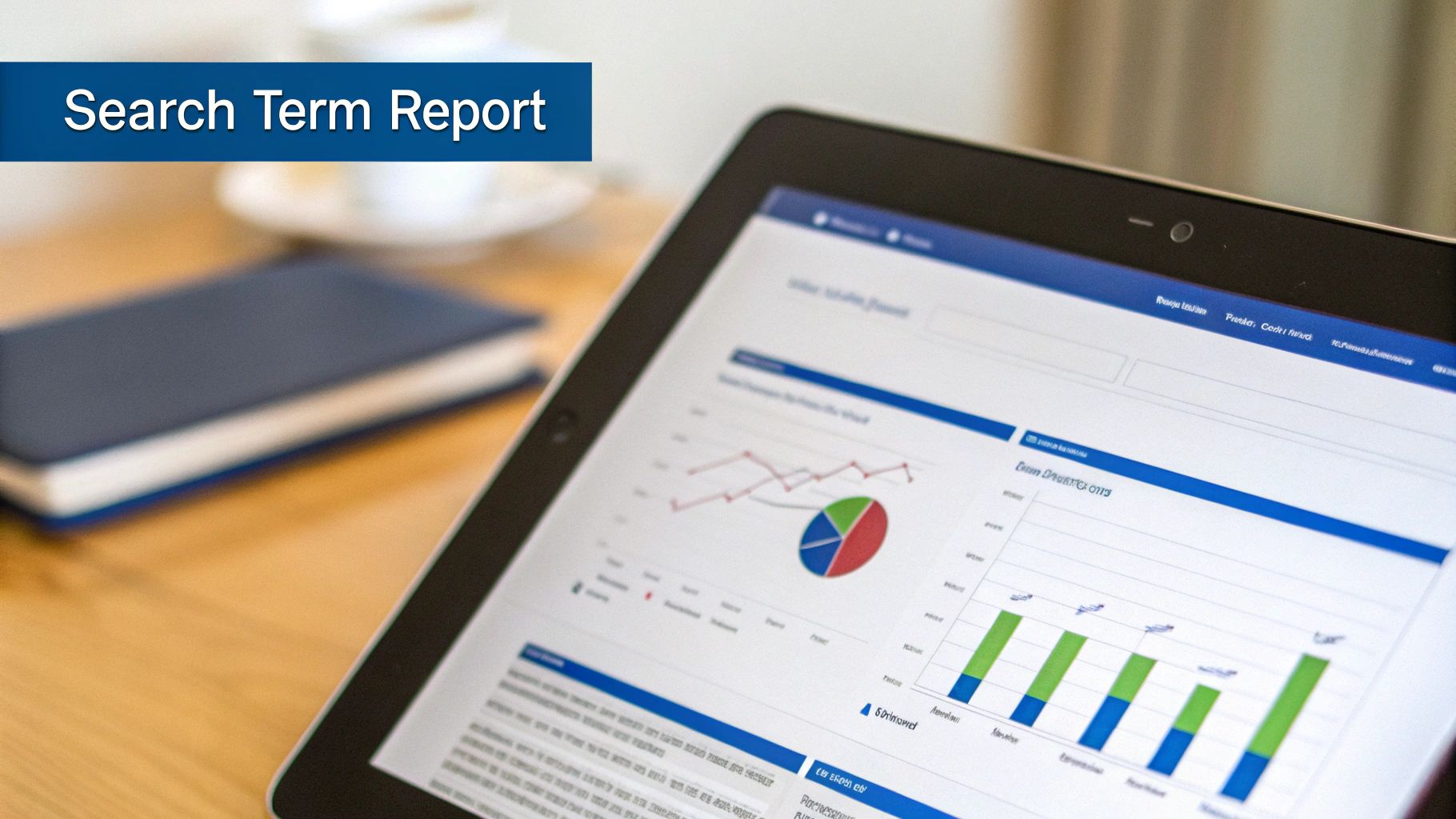
If keywords are the bait you cast into the Amazon waters, then the Search Term Report (STR) is your underwater camera. It gives you a crystal-clear view of what's actually biting. This report is your single most important source of truth, showing you the raw, unfiltered search terms shoppers used right before they saw—and hopefully clicked—your ad.
You can pull this report right from the Advertising Reports section in Seller Central. Just generate a "Search term" report for your Sponsored Products campaigns for any date range you need. At first glance, it might just look like a spreadsheet, but trust me, every column is packed with strategic gold.
Turning Raw Data into Actionable Insights
Let's walk through a real-world example. Imagine you sell high-end yoga mats and you're bidding on the broad match keyword "yoga mat." After a week of running the campaign, you download your STR and a story starts to unfold in the data.
You'll get a long list of the actual amazon search terms that triggered your ad. The real magic happens when you start looking at the performance metrics tied to each one.
Your High-Converting Winners: You might spot a term like "extra thick non slip yoga mat for women" that boasts a 30% conversion rate and a beautifully low ACOS. That’s a massive signal. The move here is to "harvest" this winner by adding it as an exact match keyword into a manual campaign. Now you can control its bid directly and push it hard.
The Budget-Draining Losers: On the flip side, you might see a bunch of clicks and spend wasted on something like "garage floor mat". It has zero sales and an ACOS that makes your eyes water. This is a money pit, plain and simple. Your immediate action? Add "garage floor" as a negative phrase match keyword. This stops your ad from ever showing up for that junk traffic again.
This simple "harvest and prune" process, done consistently, is the absolute bedrock of a smart PPC strategy. It’s how you stop wasting money and start funneling it toward the clicks that actually count.
Headline's POV: The goal here isn't just about lowering your ACOS. It's about taking the money you save and reinvesting it into the search terms proven to find your best customers. This drives sales, which in turn boosts your organic rank, creating a powerful growth flywheel.
More Than Just PPC Tweaks
Your Search Term Report is way more than a tool for refining ad campaigns. It's a direct line into the mind of your customer.
Fuel for Organic Optimization: Those high-performing search terms are the exact words your ideal buyers are using. Are phrases like "extra thick" or "non slip" front and center in your product title and bullet points? If they aren't, you're leaving organic traffic on the table. Keeping an eye on these terms is crucial, and you can learn more about how to do that in our guide on using an Amazon keyword tracker.
Clues for Product Development: What if you keep seeing searches for features you don't offer, like "yoga mat with carrying strap"? That's not a wasted click; it's free market research. It’s your customers telling you exactly what they want to buy next, pointing you toward new product variations or bundles.
By systematically digging into your Amazon search terms, you turn your ad campaigns into a powerful market intelligence machine. Every dollar you spend becomes a data point that helps you make a smarter decision—whether that's scaling a winner, cutting a loser, or rewriting your product page to dominate organic search. This is how you build a profitable, sustainable business on Amazon.
Gaining Total Visibility with Search Query Performance Data
While the Search Term Report is your day-to-day playbook for PPC, the Search Query Performance (SQP) dashboard is your strategic command center. This is a game-changer for Brand Registered sellers. It pulls back the curtain, moving beyond ad-specific data to give you a complete, 360-degree view of how your brand stacks up for any given search—across both paid and organic results.
Think of it this way: if the Search Term Report is like an underwater camera attached to your fishing line, the SQP dashboard is a full sonar map of the entire lake. It shows you every fish, where they're swimming, and which boats are catching them. This is how you stop just managing ads and start measuring your true market share.
Mapping Your Total Market Share
The SQP dashboard is where you stop guessing and start knowing exactly where you stand. It provides brand-level metrics for every relevant amazon search term, letting you answer the big-picture business questions that ad reports alone simply can't.
You can finally see the whole story by looking at metrics like:
- Total Impressions: The total number of times your brand’s products appeared in search results for a query, combining both organic and advertised placements.
- Total Clicks: The combined clicks from both organic and paid results, showing your overall engagement.
- Your Brand’s Share: This calculates your brand’s percentage of total impressions, clicks, and sales for a specific query compared to the entire Amazon marketplace.
Headline's POV: This isn't just about ad performance; it's about competitive intelligence. You can now quantify your brand's "share of voice" on the digital shelf for the terms that matter most to your bottom line, which is the first step toward market leadership.
Identifying Strategic Gaps and Opportunities
With this all-encompassing data, you can pinpoint exactly where competitors are eating your lunch and identify low-hanging fruit for growth. The SQP dashboard reveals scenarios that are completely invisible if you're only looking at PPC data, allowing you to make smarter, more integrated decisions.
Here are two common, actionable scenarios this data brings to light:
Strong Organic Rank, No Ad Presence: The SQP data shows you own the #2 organic spot for a high-volume term, but you aren’t running any ads there. Great, right? Not necessarily. While it seems efficient, it leaves you vulnerable. A competitor can easily park a Sponsored Brands ad right above your listing, stealing traffic you worked hard to earn. This is a clear signal to launch a defensive ad campaign to protect your turf and own the entire search result page.
Heavy Ad Spend to Maintain Page One: On the flip side, you might find a term where your brand has a 90% impression share from ads, but your organic rank is buried on page three. This means you are essentially renting your visibility, paying heavily just to be seen. It's a flashing red light telling you your listing isn't organically relevant for that term and needs immediate SEO attention. Take the exact phrasing from that high-performing query and weave it into your title and bullet points. The goal is to improve your organic rank and eventually reduce your dependency on paid placements.
Building a Reliable Keyword Strategy
Many sellers lean on third-party tools for search volume estimates. These can be useful for direction, but they're still just approximations. For enterprise brands, best practice is to combine multiple data sources.
By blending those third-party estimates with the concrete, real-world data from your Search Query Performance reports and insights from Amazon Marketing Cloud modeling, you can build far more reliable forecasts and keyword strategies. You can find more tips on integrating Amazon data for a robust strategy on headlinema.com.
Using the SQP dashboard properly transforms your approach from reactive campaign tweaking to proactive market domination. You can finally see the entire field of play, understand how your paid and organic efforts influence each other, and make data-backed decisions that drive not just your ACOS down, but your total market share up.
Building Your Data-Driven Search Term Strategy
Alright, you've got the basics down—you know the difference between keywords, search terms, and the data in your SQP dashboard. Now it’s time to put that knowledge to work and build an actual playbook that turns raw data into a growth engine. A truly effective strategy isn't about making a few tweaks here and there; it’s a repeatable, three-step workflow that consistently boosts both your paid and organic results.
This is the point where your PPC campaigns stop being just a way to buy sales and start acting as your brand's most powerful market research tool. You're creating a feedback loop between ad data and your product listings. This means every dollar you spend not only drives immediate sales but also makes your organic foundation stronger for the long run.
Think of it like this: your ad reports and SQP data are two different streams of intel. A smart strategy combines them to give you a complete view of the market, helping you measure and grow your overall share.
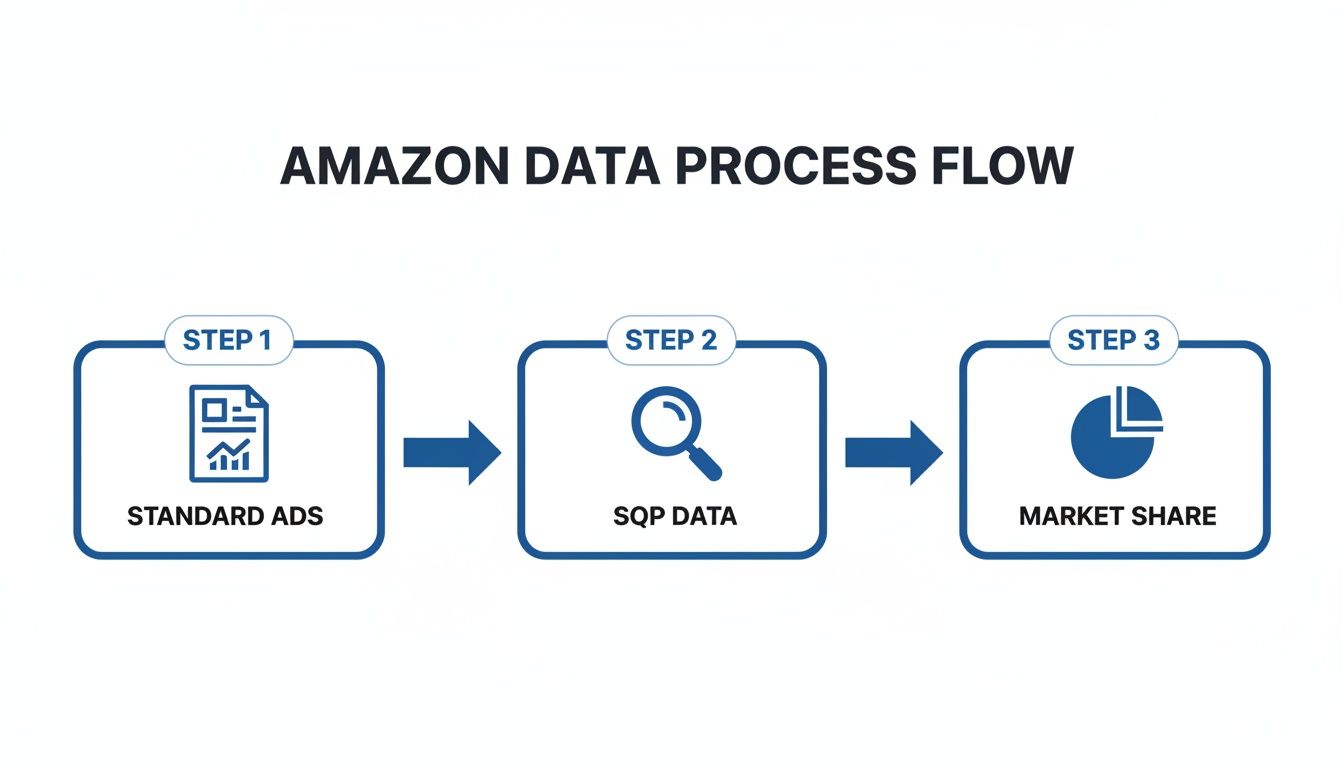
This systematic approach makes sure that what you learn from your ads is constantly feeding your organic strategy, and vice-versa. It creates a complete picture of your performance.
Step 1: Harvest Your Winners
First up is what we call Harvesting. This is all about finding your highest-performing amazon search terms and giving them the fuel they need to take off. The perfect place to start is in your automatic Sponsored Products campaigns, which act like a wide net, catching all sorts of new and relevant customer searches.
Go through your Search Term Report and pull out the terms that have a solid sales history and a profitable ACOS. These are your proven winners. The next move is simple but critical: add these exact search terms as exact-match keywords into their own dedicated manual campaign. This gives you laser-focused control over your bids, letting you push aggressively for that top-of-search spot on the queries that actually make you money.
Step 2: Prune the Waste
Just as important as scaling your winners is cutting out the losers. Pruning is the disciplined process of finding and blocking all the irrelevant search terms that are just eating up your budget. Dive back into that Search Term Report and look for queries that get clicks but result in zero sales or have a dangerously high ACOS.
For example, say you sell rugged "leather work boots," but you see clicks coming from "women's fashion boots." Those clicks are worthless. The fix? Add "fashion" as a negative phrase match keyword. That one small action stops your ad from showing up on hundreds of similar irrelevant searches in the future. Your ACOS will thank you, and your budget will be free to chase more qualified traffic.
If you need to go even deeper with competitive analysis or spot emerging trends, you can always use a dedicated Amazon Scraper to gather more extensive data.
Step 3: Inform Your Organic Strategy
The final, and most important, step is to Inform. This is where you close the loop between your paid advertising and your organic SEO. Your best-performing search terms are a direct transcript of what your customers want and how they talk about it. This data is pure gold—don't let it just sit in your ad console.
Headline's POV: Take the exact phrases from your top-converting search terms and weave them right into your product listings. If customers are converting on "waterproof hiking boots for rocky terrain," then that exact phrase needs to be in your product title, bullet points, and A+ Content.
This simple act transforms your PPC campaigns from an expense into a real-time research lab. You're using paid data to validate the precise language that makes you more relevant to Amazon's A9 search algorithm. Better relevance leads to higher organic rankings, more visibility, and a steady increase in sales over time. This layered approach is absolutely essential, as a handful of popular "head terms" drive traffic, but the vast "long tail" of super-specific queries often holds the most profitable conversions. To get a better feel for this, check out this breakdown of the https://www.headlinema.com/blog/most-searched-terms-on-amazon.
By consistently running this Harvest, Prune, and Inform workflow, you create a powerful flywheel. Better ads generate better data. Better data leads to better organic listings. And better listings result in more sales and a stronger market position. It's a self-sustaining cycle of profitable growth.
Advanced Customer Insights with Amazon Marketing Cloud
The standard advertising reports are great for your daily tactical decisions, but if you're aiming to truly dominate your category, you need to see the bigger picture. You need the full story of how a customer finds and buys your product. This is where Amazon Marketing Cloud (AMC) changes the game.
Think of it as moving beyond a single snapshot to watching the entire film of your customer's journey. AMC gives you a secure, privacy-first space to analyze the winding paths shoppers take from their first search to the final click of the "buy" button. It lets you ask the complex "why" and "how" questions that standard reports simply can't answer.
Uncovering the Full Customer Journey
With AMC, you finally get to connect the dots between your top-of-funnel awareness ads and your bottom-of-funnel conversion campaigns. It’s a clean-room environment where you can run custom queries to see how different ads and searches influence each other over time.
For example, you can finally separate:
- "Discovery" Search Terms: These are the broad, early-stage terms that get shoppers acquainted with your brand, even if a purchase doesn't happen right away.
- "Closing" Search Terms: These are the specific, high-intent terms that consistently seal the deal and drive the final sale.
This distinction is everything. It means you can build a true full-funnel strategy, confidently funding those big-picture awareness campaigns because you can see exactly how they feed your heavy-hitting conversion ads. You can stop judging every single ad on last-click ACOS and start appreciating its real role in the sales cycle.
Measuring the 'Halo Effect' of Your Advertising
One of the most powerful things AMC lets you do is measure the "halo effect" of your advertising. You can finally prove that the Sponsored Brands video ad a shopper saw on Monday is what led to them clicking a Sponsored Products ad and buying on Friday. This kind of cross-campaign analysis gives you a complete, holistic view of performance.
Headline's POV: By connecting ad exposures to purchase behavior over time, AMC makes the intangible tangible. It proves the value of brand-building efforts and justifies a more balanced investment across the entire marketing funnel, moving you from short-term ACOS management to long-term enterprise value.
Understanding these multi-touch paths is crucial for fine-tuning your entire strategy. We know that not all Amazon searches are the same—some show casual interest while others scream "I'm ready to buy!" Analysts have seen that certain search phrases pull in incredibly high CTRs, which tells us that a one-size-fits-all approach just won't work. High-intent queries need aggressive bids, while broader discovery terms require smart creative to capture attention. You can dive into an analysis of Amazon's top keywords and their performance on erank.com.
The insights you get from AMC let you level up your whole game. You can build audiences from past search behavior, re-engage shoppers who browsed but bailed, and truly grasp the incremental lift each ad format provides. This is the kind of advanced measurement that separates the good advertisers from the great ones. To learn more about this process, check out our guide on what is attribution modeling.
Ultimately, AMC gives you the data-backed confidence to invest in long-term brand growth, not just chase short-term sales.
Your Blueprint for Profitable Scale on Amazon
Getting a handle on Amazon search terms isn't just a technical task for your ad manager—it's the very heart of how modern brands grow profitably on the platform. We've gone past the theory and laid out a real-world playbook. This is your guide to using actual customer data to slash wasted ad spend, boost your organic ranking, and finally understand what you're up against.
The main takeaway here is simple. To grow your brand profitably and keep it that way, you have to connect your PPC and SEO efforts. It's time to move beyond obsessing over surface-level metrics like ACOS and start building a smarter, unified Amazon strategy.
From Tactical Tweaks to Strategic Dominance
The old way of just "managing" ad campaigns is dead. The brands that are winning today think differently. They see advertising as a direct investment in their long-term organic health and a powerful tool for gathering market intelligence. This all hinges on creating a continuous feedback loop.
- Data is Your Foundation: Every single decision, whether it's setting budgets or tweaking a product listing, needs to start with your Search Term Report and Search Query Performance data.
- PPC Feeds SEO: Take the exact phrases from your best-converting search terms and use them to systematically improve your product titles, bullet points, and A+ Content.
- SEO Cuts Your Ad Bill: As you start ranking higher for your most important terms, you can pull back on your ad spend. This frees up cash to either defend your top spot or explore new product opportunities.
This integrated approach makes every ad dollar do double duty—first, it drives a sale, and second, it gives you the data you need to improve your organic strategy.
Headline's POV: The ultimate goal is to build a powerful flywheel. Paid advertising gives you a data advantage, which strengthens your organic presence. This leads to more sales, which improves your rank and market share even further. This is how you achieve sustainable scale.
Building Your Path to Profitability
This blueprint puts you in a position to use advanced data and expert partners to win, even in the most crowded categories. Your advertising stops being just another expense and transforms into an engine for customer intelligence that helps you outsmart the competition. By focusing on the entire path a shopper takes, you build a much stronger and more profitable business. To really dig into that journey from search to sale, it helps to understand the broader concepts of user acquisition attribution.
At Headline, we specialize in putting this data-driven blueprint into action. We work with brands to go beyond basic campaign management, building integrated PPC and SEO strategies that create real, long-term growth. We turn your search term data into a clear roadmap for leading your market.
Still Have Questions?
Got some lingering questions about how to really put your Amazon search term data to work? You're not alone. Here are the most common ones we hear from brands, along with some straight-to-the-point answers.
How Often Should I Be Looking at My Search Term Report?
If you've got active campaigns running, especially for a new product launch or during a big sales event like Prime Day, you should be in there weekly. No question. This keeps you from wasting money on irrelevant clicks and lets you spot and scale up winning search terms fast.
For campaigns that are more mature and stable, you can probably get away with a bi-weekly check-in. The important thing is to get into a regular rhythm. This ensures your strategy is based on what shoppers are doing now, not what you thought they were doing a month ago.
What’s a Good Benchmark to Aim for?
This is a classic question, but the honest answer is: forget about universal benchmarks. They're all over the place depending on the product category, price, and competition. The only benchmark that truly matters is your own.
Find your best-performing search term—the one that really delivers. Look at its Click-Through Rate (CTR) and Conversion Rate (CVR). That is your new benchmark. Your goal is to get your other keywords performing closer to that proven winner. It's about elevating your own portfolio, not chasing some random industry average.
Headline's POV: Your own data is the only source of truth that matters. A "good" ACOS for a high-margin product could be a total disaster for a low-margin one. Always focus on your own profitability and performance against internal benchmarks.
How Can This Data Actually Help My Product Listing?
This is where the magic happens. Think of your Search Term Report as a direct line into your customers' minds. It shows you the exact words and phrases they use right before they decide to buy something.
So, when you find a golden nugget—a search term that converts like crazy—but you realize that phrase isn't anywhere in your product title, bullet points, or backend keywords... you've just struck SEO gold. Weaving that real customer language into your listing tells Amazon's A9 algorithm that your product is highly relevant. This can boost your organic ranking, get you more visibility, and drive more sales, creating a powerful feedback loop for growth.
At Headline, we don't just look at this data; we turn it into a competitive weapon. Our team builds integrated strategies that make your PPC and SEO work together, driving profitable growth and locking in your spot at the top. Ready to turn these insights into real results? Visit us at headlinema.com.
Get Your Free Amazon PPC Audit
Discover untapped growth opportunities and see how our data-driven approach can improve your ROAS.
Get Free Audit →Ready to Transform Your Amazon PPC Performance?
Get a comprehensive audit of your Amazon PPC campaigns and discover untapped growth opportunities.